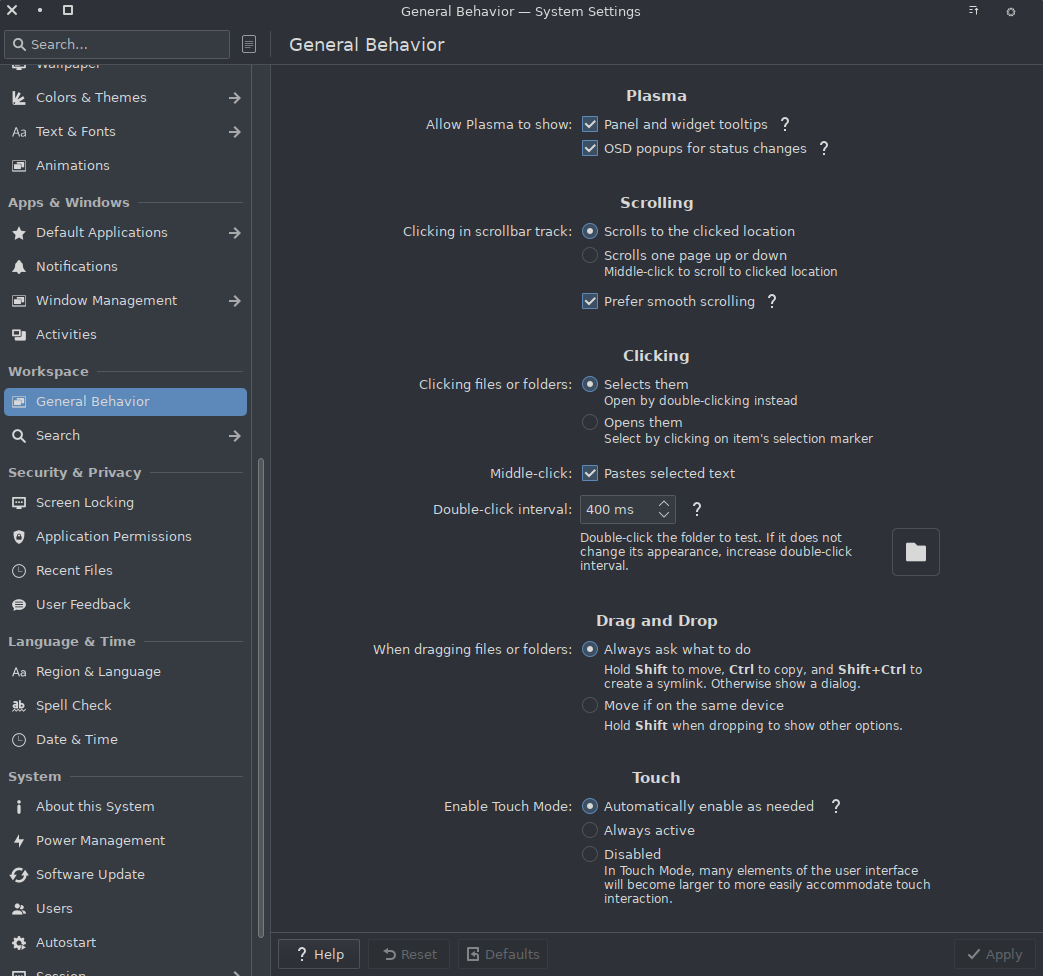
I’d like to disable the middle click paste feature and someone suggested, in another topic, to disable it in the System Settings.
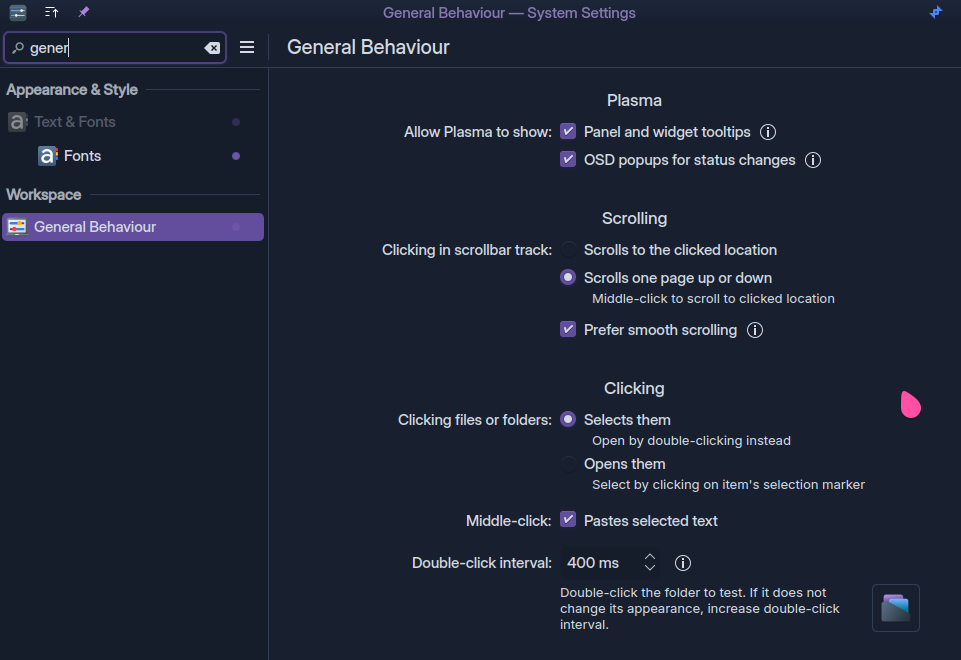
So I went to System Settings, General Behaviour but I can’t see that setting.
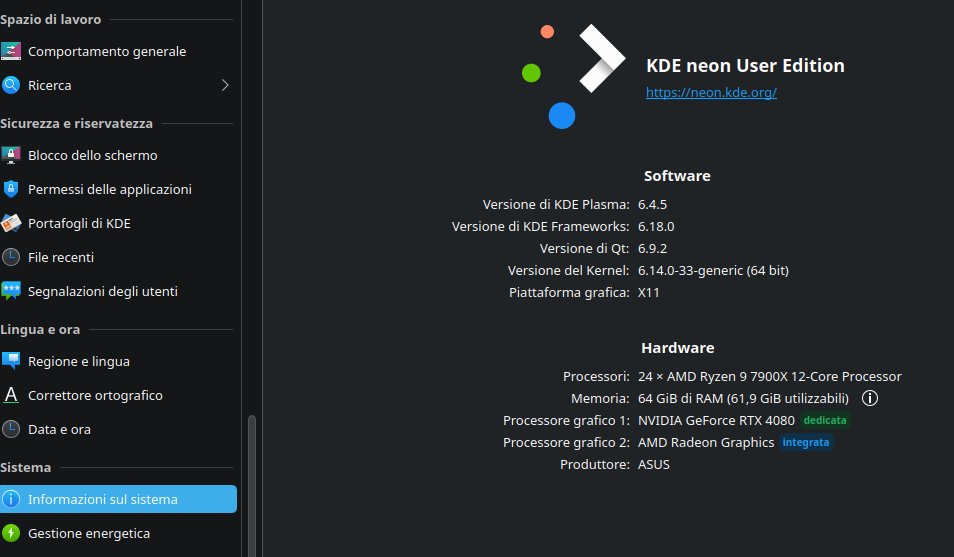
My Neon installation is, more or less, 2 and half years old and it’s fully updated at what we have today.
Is there something went wrong during the time as the reason why I don’t have that setting or is it disabled by default after a specific update?
Is there a way I can recover that setting in another way or “restore” the system without reinstalling everything to have the whole settings manageable into General Behaviour?
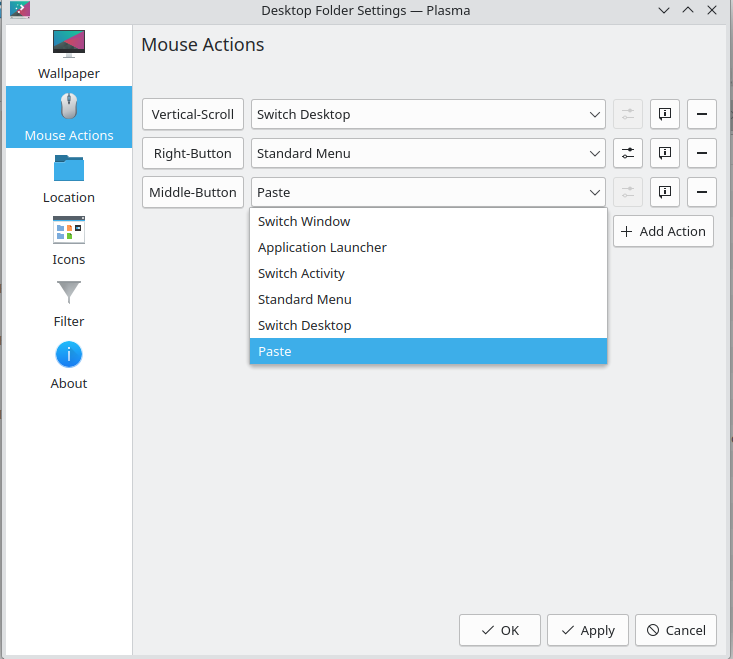
It does, but isn’t this option specifically about “paste into the desktop folder when I middle-click on the desktop”, rather than controlling what happens when you middle-click in an application window?
As mentioned this is a setting for the Plasma folder view.
Given the earlier postings, my assumption is that middle-mouse paste on X11 is implemented by each application (or more likely their respective toolkit).
This might still be true with Wayland, however Plasma (or more specifically KWin) might have gain the capability to somehow do this “globally”.
On Wayland the compositor (KWin) is the primary recipient of input events such as mouse or keyboard presses and can treat them however it wants before passing them on to the application windows (or not pass them on at all).
So kwin_wayland could, theoretically detect middle-mouse clicks on any window and send CTRL+V to them instead (which most applications use as the paste action shortcut).
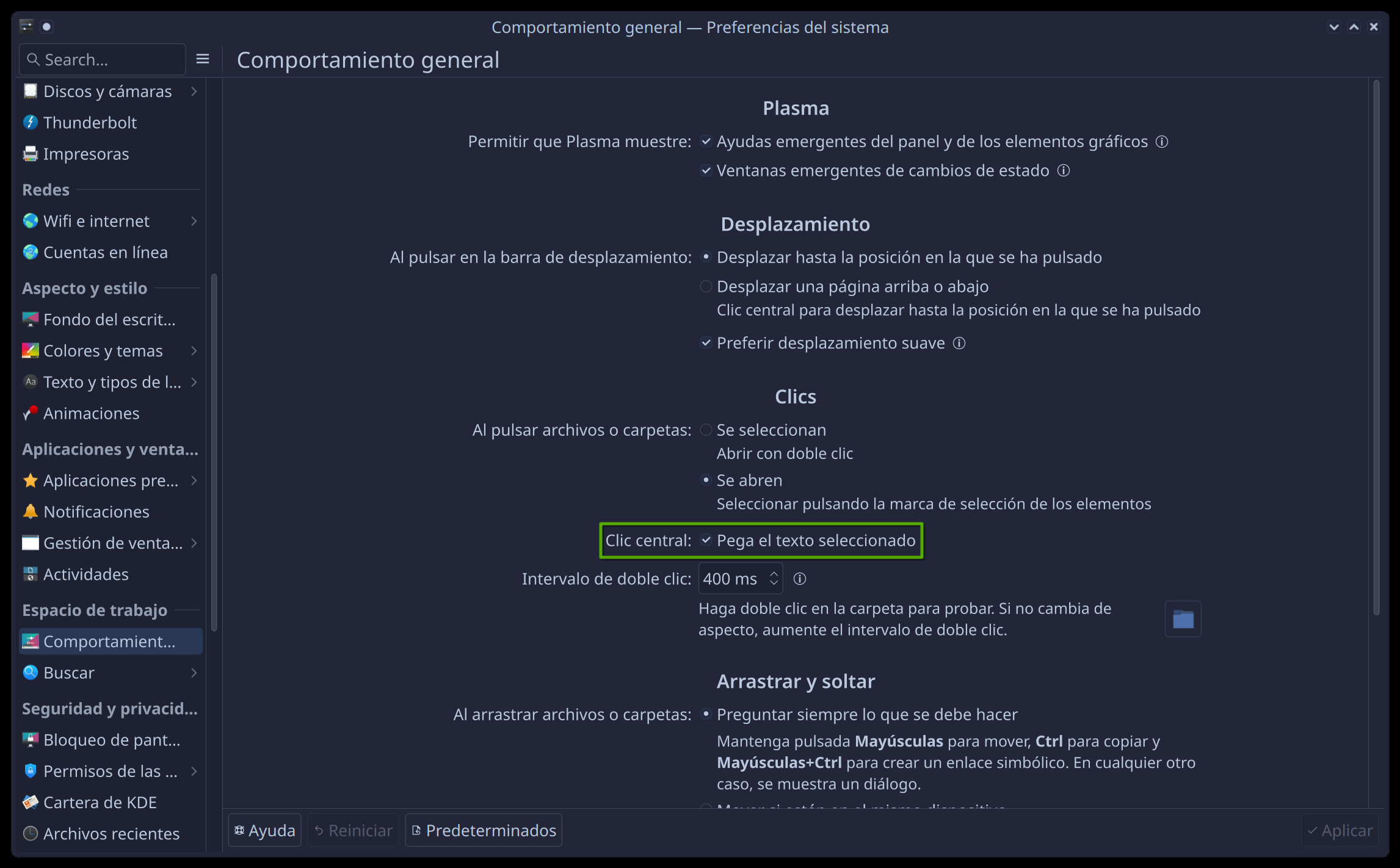
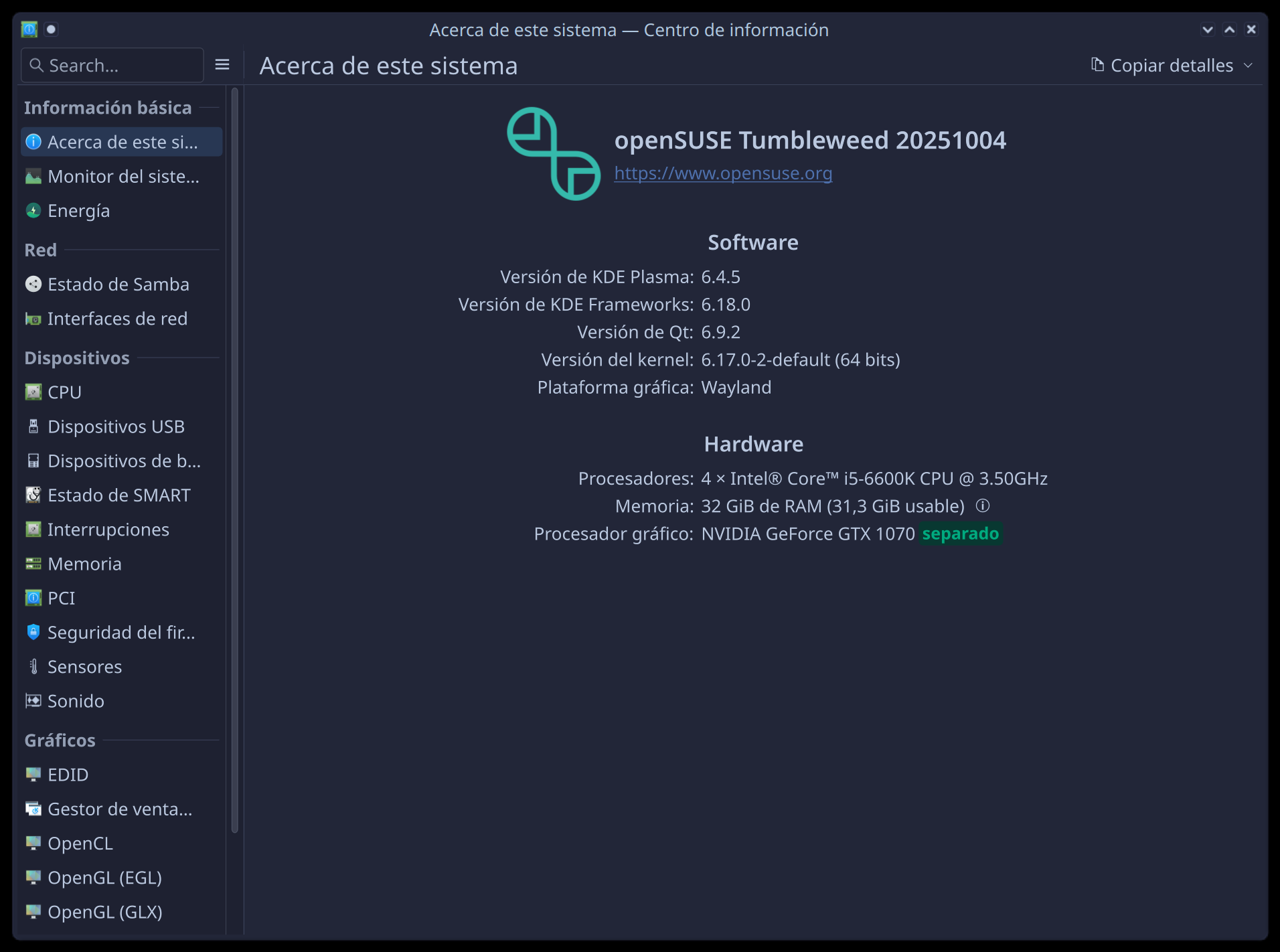
Since I am on a very similar setup as the OP (Neon, most recent updates, e.g. Plasma 6.4.5) I checked that theory and can indeed see this option when starting a Wayland session while it is missing in an X11 session.
That’s it, I implemented this setting, but some Apps might not comply with it notably Firefox.
In X11, you need specific hacks that are independent of the window manager, outside of KDE Plasma X11 scope. This middle-click pasting has been a X thing since forever. And something I absolutely required it personally for Wayland to be usable.
Indeed, as Firefox does its own thing.
They don’t, they implement the Wayland protocol as intended, without working around it like Firefox.
This has already been discussed a couple of times:
The setting to control this is only available on Wayland. On X11 there’s no KDE config UI to turn it off; you’ll have to figure out how to do that on your own.
I feel it is strange that Middle Button Paste appears under “Workspace → General Behavior” and does not appear under “Mouse”. It’s just not a place that I would expect to find a middle click paste setting. I think it would be helpful if the setting appeared in both places.
But it would raise some eyebrows. The middle ground would be to have a link from one kcm to the other. You can report a bug for plasma or systemsettings.
Still, this is about mouse interaction and in this page, there is already a “click” section with very OS oriented preferences, and that’s not specific to a single mouse and applies to touchpad too. So IMO it is well where it is at least.