Hey there I had a question about how much longer or a roadmap to when Wayland KDE would be getting better nvidia support? I currently am facing this one bug thats driving me crazy with my mouse glitching when it changes states, and I think its because I’m on nvidia. Anyway, just wondering please let me know or point me in the right direction.
Running two Nvidia based PC’s here, both running KDE Plasma, both running Wayland. One runs KDE Neon 6.6.4, the other runs CachyOS with Plasma 6.6.4 - Neither have a problem running Nvidia drivers and Wayland, my experience is faultless.
You have to install the nvidia drivers to get good wayland support.
Using the linux kernel’s nouveau driver has issues.
In the future 1+ years(?) there is a new nvidia driver that will replace nouveau in development, but it far from complete at this time.
I install manually the .run from Nvidia’s web and all runs smoothly in Wayland.
- Download the .run from Nvidia’s website.
- Check in file’s properties, the box executable:
- Add in parameters of the kernel (to blacklist nouveau):
rd.driver.blacklist=nouveau
My bootloader configurator is this:
- Reboot.
- In SDDM pres Ctrl+F1 to switch to a console.
- Log in as user root.
- Type (to kill the X runlevel):
systemctl isolate multi-user.target - Change to directory with the .run (with
cdcommand) - Type :
./NVIDIA-Linux-x86_64-595.58.03.run
If you have forgotten to make it executable, you can type:
sh ./NVIDIA-Linux-x86_64-595.58.03.run - If you have a GTX 1600 series or newer, choose MIT/GPL license. Otherwhise, the other license.
- Enter to all by default.
- At the end, type (to change to graphical runlevel and calls SDDM):
systemctl isolate graphical.target - Process done.


When you change the kernel version and or graphical driver (the .run), after reboot you’ll see a bad resolution (once upon a time it could even be a black screen) if you was upgraded the kernel. Solution for this (also if you want to install new graphical driver) is repeating the previous process from when you are in SDDM. Especifically this:
- In SDDM pres Ctrl+F1 to switch to a console.
- Log in as user root.
- Type (to kill the X runlevel):
systemctl isolate multi-user.target - Change to directory with the .run (with
cdcommand) - Type :
./NVIDIA-Linux-x86_64-595.58.03.run
If you have forgotten to make it executable, you can type:
sh ./NVIDIA-Linux-x86_64-595.58.03.run - If you have a GTX 1600 series or newer, choose MIT/GPL license. Otherwhise, the other license.
- Enter to all by default.
- At the end, type (to change to graphical runlevel and calls SDDM):
systemctl isolate graphical.target - Process done.
When you do this sometimes, is a costume and you remember always (and commands are recorded in the Bash history. Up arrow to see them).
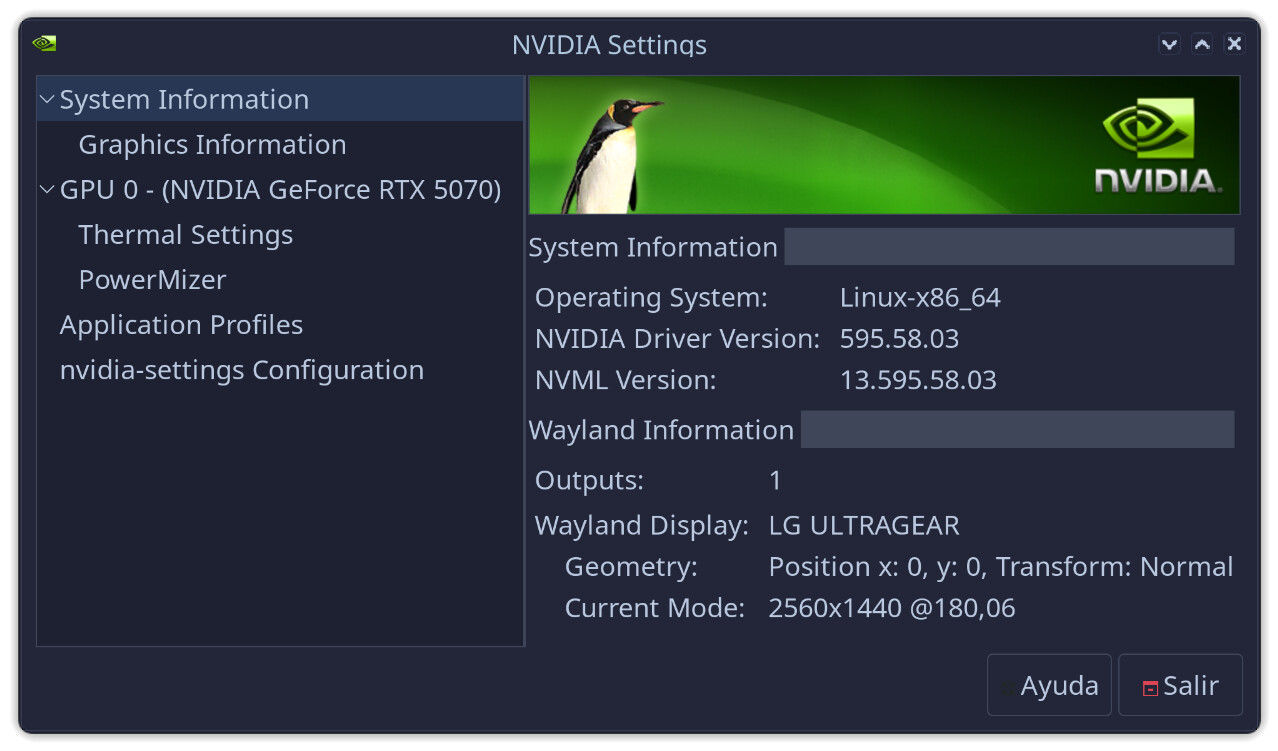
595.58.03 is my driver. Change the number to the file you was downloaded.
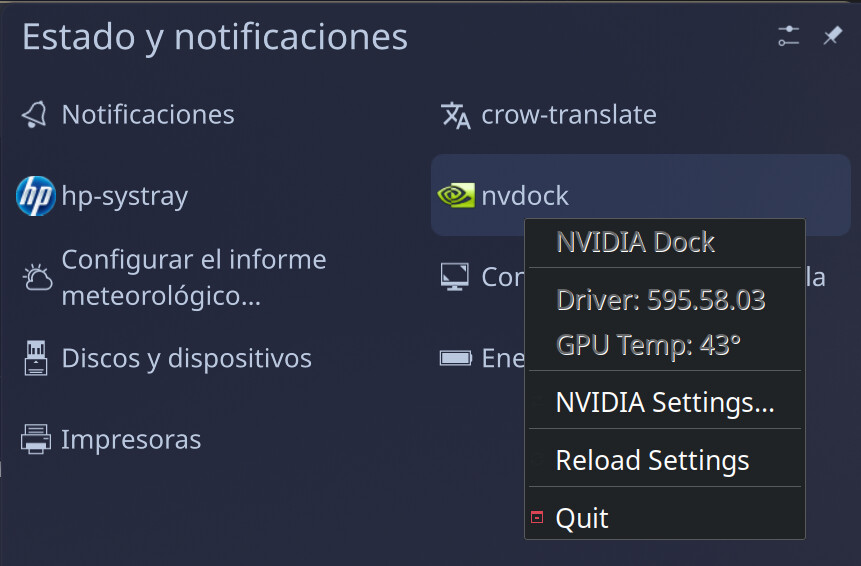
Install nvdock for driver’s settings:
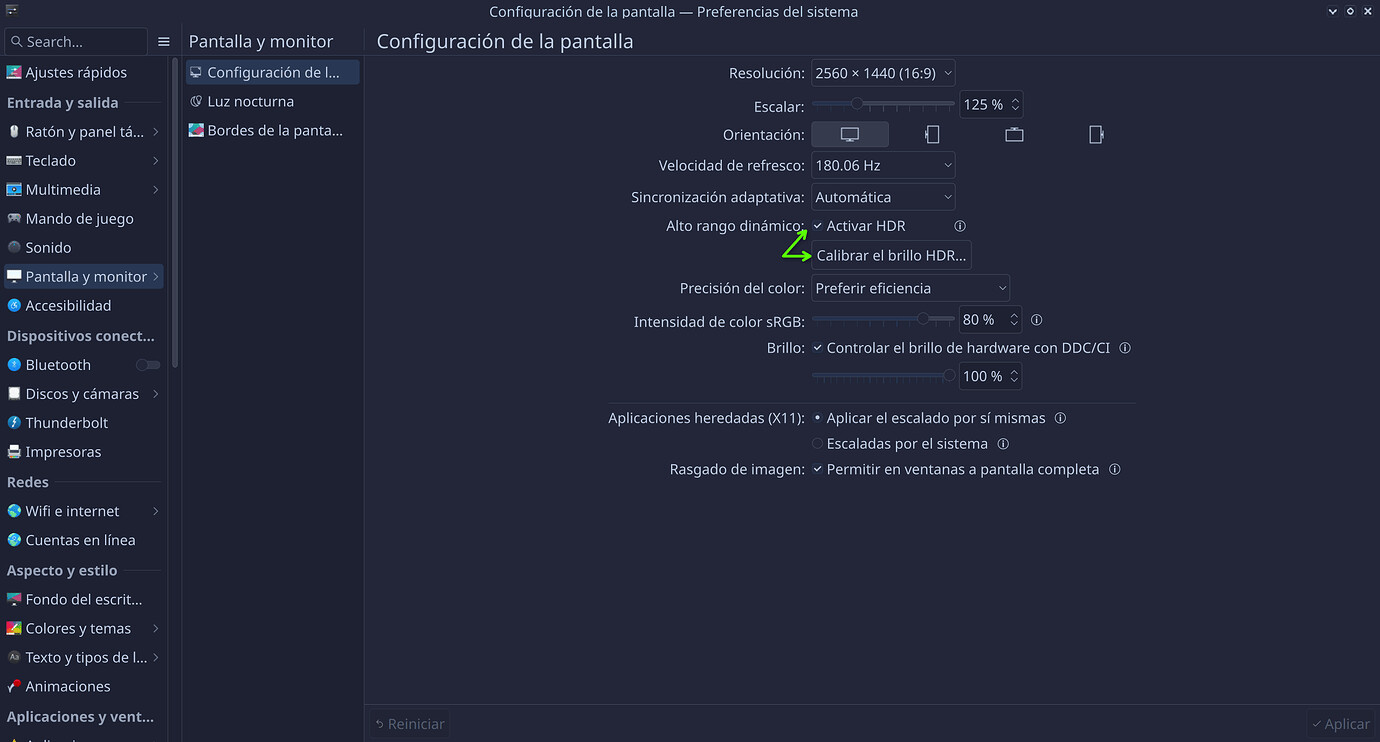
I even have HDR in Steam games. To enable HDR in Steam’s games:
- Have this marked and calibrated the HDR brightness:
- Install
gamescope - Add this parameter to kernel (necessary to run gamescope):
nvidia-drm.modeset=1 - Add in the parameters of one game in Steam:
gamescope -f -w 2560 -h 1440 --hdr-enabled --force-grab-cursor -- %command%
2560x1440 is my resolution. Change to yours.
Operating System: openSUSE Tumbleweed 20260404
KDE Plasma Version: 6.6.3
KDE Frameworks Version: 6.24.0
Qt Version: 6.11.0
Kernel Version: 6.19.10-1-default (64-bit)
Graphics Platform: Wayland
Processors: 14 × Intel® Core™ Ultra 5 245K
Memory: 32 GiB of RAM (30.9 GiB usable)
Graphics Processor: NVIDIA GeForce RTX 5070
Regards
Note this is not the recommended method on all distros as there are issues with using the .run method at times.
For example on Fedora it’s recommended to install the RPMfusion packaged nvidia drivers - Making sure you're not a bot!
And openSUSE recommends install the nvidia-open-driver-G07-signed-kmp-XXX (XXX is default or longterm or cuda).
But in a lot of years, I never have problems with .run. A matter of taste. 
Regards
I also saw this when I first installed. It’s specifically an issue with the nouveau drivers, and should disappear when you install Nvidia’s own drivers as discussed in the last few posts.
nvidia support varies quite a bit by distro and some don’t support it a all except what the kernel provides which is only enough to get the desktop working and run basic office apps.
if you want the full potential of your nvidia gpu then you need to install the proprietary drivers and some distros make this a point and click affair, others make you go to the nvidia and do everything yourself, and everything in between.
none of this really has anything to do with the KDE plasma desktop, as it more to do with the choices made by your distro maintainers.
kubuntu is probably the most user friendly with fedora and opensuse right behind with just needing to install a new repository so you can use the package manager to install the drivers.
regardless of which way you go, you are still likely to face some amount of command line tweaking to get things fully operational with suspend / resume and all of it.
things are much easier on AMD.
However a lot of Fedora user have had a lot of issues with the .run and the RPMfusion packaged versions JustWork™.
When the .run breaks it takes skill many users do not have to fix.
sudo add-apt-repository ppa:graphics-drivers/ppa

sudo apt install nvidia-driver-5xx
With ‘x’ being the version of driver to be installed. Not difficult, and I’ve never encountered any dealbreaker issues.
To the OP, do not install Nvidia binaries directly using the ./run method, always install drivers using your distro’s package manager.
skills vary and to someone coming from windows those commands might as well be in an alien language when what they are expecting is a point and click type operation.
kubuntu does a good job of making them accessible and helping you install the right 5xx number because that alone is confusing.
Truth be told, two simple commands via terminal is actually easier than the same process under Windows by the time you navigate to the Nvidia site, go to the downloads section, download the drivers, and go through the whole Agree > Next > Next > OK > Finish regarding the Nvidia installer.
Under my other CachyOS system, I didn’t have to do a thing, the latest Nvidia drivers were installed and running OOTB.
Even considering Nvidia driver updates, most of the time I don’t even realize I’ve received them until weeks after the fact.
Hi mister, would you let us know what distrobution are you using?
I have problem that kde on wayland (6.6.4) crashes and wont return to sddm i use nvidia rtx 3060 i tried 570 590 580 propariotary and opensource ones no thing helps drm ode is set
To get help please share details of your setup. What OS are you using and where did you get the nvidia drivers from?
I use kubuntu 26lts upgrade from kubuntu 24lts with rtx3060 and ryzen 7 5800H with igpu disabled in efi on lenovo legion 5 with 64gb ram
I dual boot win 11 and kubuntu it worked until i think updating drivers on win11
No only X11 sesions works and some errors included qt6 failed to load plugins, premission denied to card1 and som interface named Render…
I can send the logs if I get what commands ro run to give acurate data
You will get a better chance that someone can help if you start a new topic with this info.
Fewer people will look at this old topic.

The problem was the IA help and my users config
What elements in .config they maight be