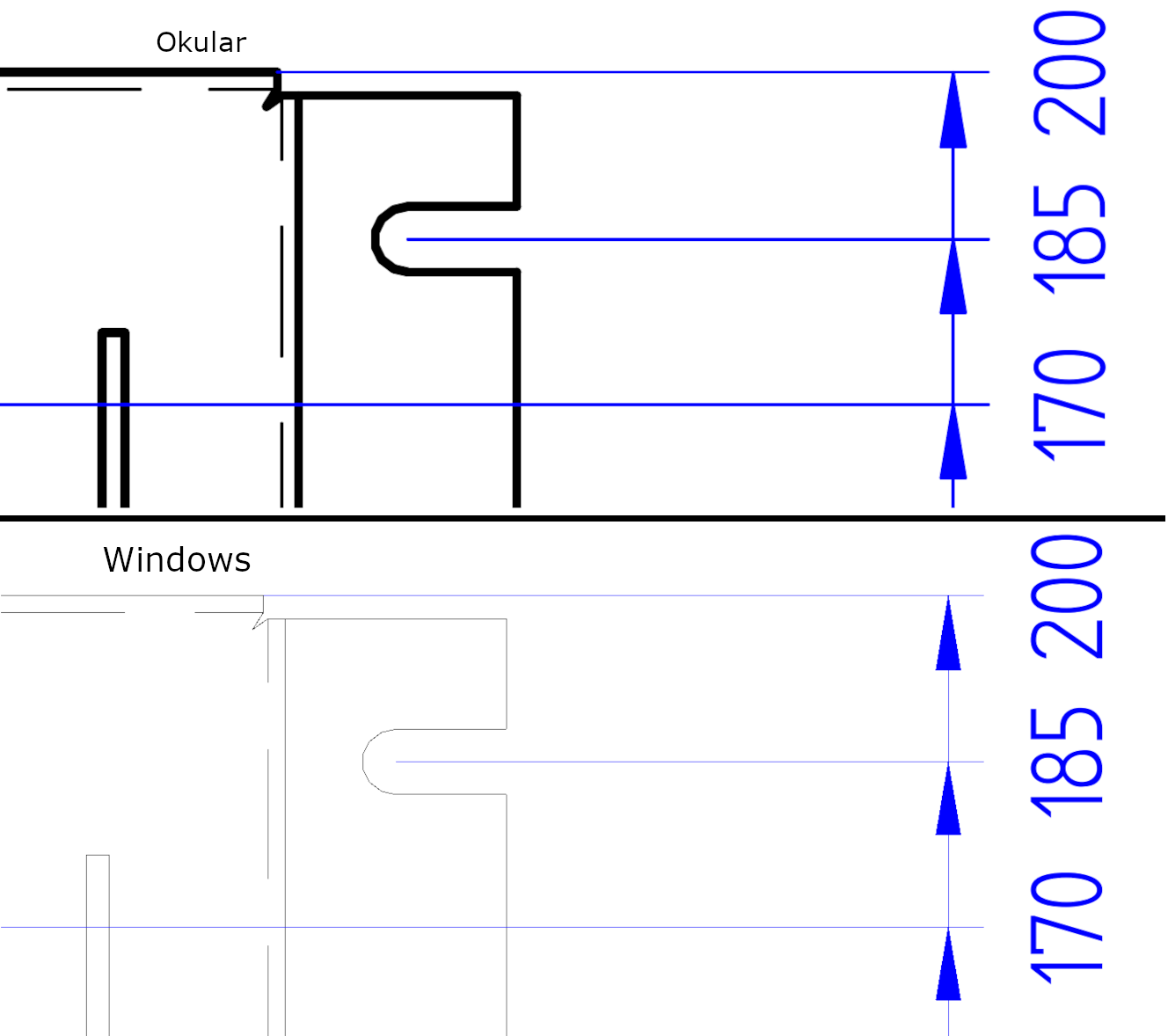
Is there any way to add this feature in ocular in a reasonably short time or should I just waste bunch of company money and create lots of e-waste by buying new computers?
i have noticed this too and it seems there is widespread disagreement over how to handle line weights in PDF viewers.
some want to render as accurately as possible but this often results in lines that are not visible which make the viewer seem broken.
others (like okular) try to render all the lines to ensure the document is readable.
there is a backend setting for enhancing line weight which you should check to ensure it is set to “no”, but it seems to be redundant to the already preferred mode of render (to show all the lines).
I’m in the same shoe. I moved to Linux Mint from Windows 10. And I’m really fond the above feature in the PDF viewer. On Windows the PDF-Xchange Viewer also did have this feature, and Adobe Reader as well… It would be really good to have it in Okular as well.