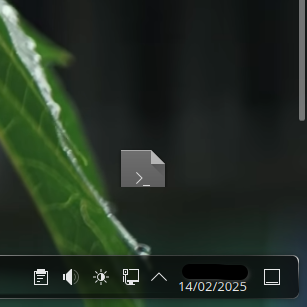
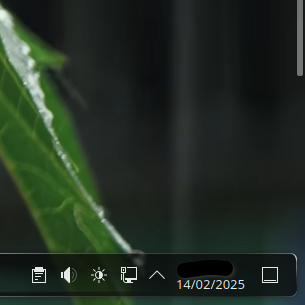
A scrollbar has appeared on the right side of my desktop when it seems like there should not be one. It seems to be related to my panels. I have two bottom panels on opposite sides of the screen from eachother. They are side by side, not stacked.
When I remove one panel it goes away & I have a normal desktop, but after adding a second panel a scrollbar appears & makes the desktop scrollable despite the workspace in the middle still being the same size. It also causes a pretty tall section of the bottom of the screen to be unable to hold a desktop icon.
While dragging the icon (disappears in screenshot) to a new spot near the bottom of the screen, the cursor turns into a “no” symbol and the icon is returned to its previous position if dropped. Also, if all icons have been dragged & dropped into new places above the “exclusion zone” the scrollbar disappears, but I still can’t place icons on this ~100px tall region at the bottom of the screen. It’s like the workspace has been cropped smaller, & is now 1820 by 1080 instead of the 1920 by 1080 it should be.
I’m in Plasma 6.3 with Wayland, but I think this was also happening in Plasma 6.2. I made this second panel about the same time as the update so I’m unsure what version it started. Is this a known bug? Is there a way I can reclaim the bottom portion of my workspace & get rid of the scrollbar that does not involve removing my second bottom panel? I’ve only found one post mentioning anything similar.
It seems like your desktop is being set to overscan (screen resolution is larger than the display resolution). I would dig into the display driver settings, and the desktop effects section in Ksettings and see if something there is causing the issue.
No overscan, it’s at 0%. The display is also the same resolution as my output & the issue goes away when removing one of the bottom panels. The area I can’t drop icons on seems to be the height of two panels stacked vertically (even though they’re actually arranged horizontally from eachother), pushing the rest of the desktop upwards, which creates a dead zone & a scrollbar. Nothing in my desktop effects seems to be the issue either, everything points to the panels’ “hitboxes” being stacked on eachother even if they’re visually in different locations.
When icons take up too much vertical space on the desktop, instead of rearranging the icons, it will create a scrollbar so you can still access the icons. To remove the scrollbar, just remove some icons or move the lowest icons up so all the icons fit on one screen.
I actually thought this was nice - it meas you can have an icon desktop without the clutter…
I just have one folder - called ‘Tidy’ which I drag everything into, but now it’s possible to keep icons below that ‘Tidy’ icon so that they are only cluttering the desktop if I scroll down.
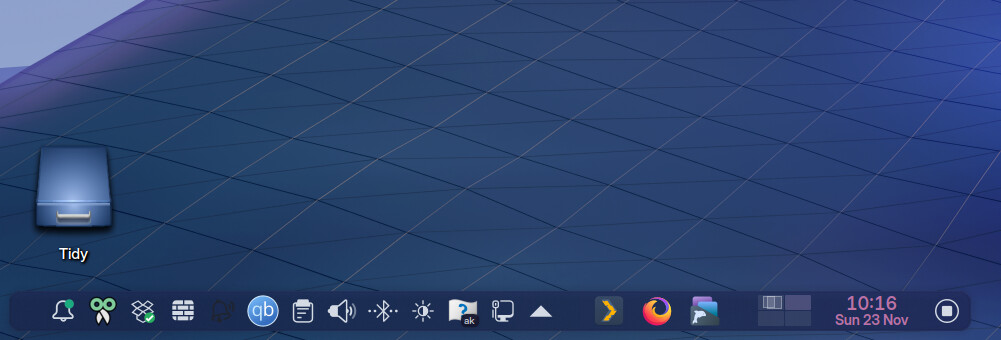
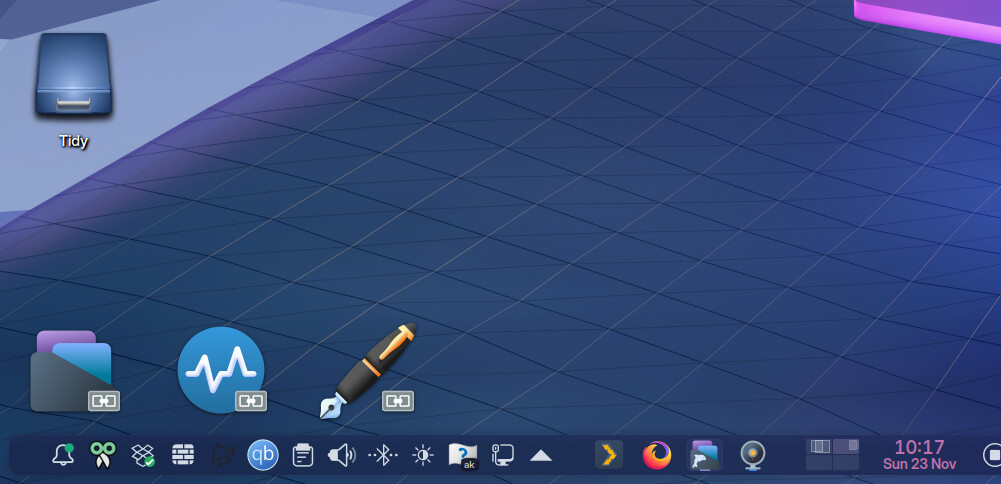
It’s very nice, & I like the feature, but I only like it when it’s supposed to happen. In my case it should not be happening. Compare your picture to mine & see the enormous gap where I can’t place icons, where on yours you can put icons right above the panel.
Please do read the post in full for more details, because the title does not explain the problem & its details in full.
I only have one icon on my desktop. My problem is that I can’t put it all the way down without removing the second panel & I want to keep both panels. The panel hitboxes are stacked & cover the whole width of the screen instead of being placed next to eachother horizontally.
There’s a similar issue with my knee vertical panel where stuff can’t be placed above it. It seems like the width of horizontal panels is not accounted for & the height of vertical panels is not accounted for. I’m just looking for a solution that allows me to keep my panels & have the missing space back.