Unfortunately probably nothing. This is a known bug that annoyingly manifests in a lot of random ways. We’re planning to rewrite it to be more robust at some point in the future, but obviously that hasn’t happened yet.
In any case, I checked ~/.config/plasma-org.kde.plasma.desktop-appletsrc, the [ScreenMapping] section there had the key screenMapping which had an entry that was about 200k characters long! Just removing the value of the key fixed the issue for me
Stumbled across the same issue (or so I think). Every time my Monitor turns on again either by physically toggeling its power button on/off or by waking it up from sleep mode by moving the mouse I have to reorder all my desktop icons no matter which (ordering) settings I choose.
Locking the Icons also does not prevent this from happening. I can reproduce this 100% of the time, all I have to do is switch the monitor off and on again after placing the icons.
Already tried the potential workaround DeinAlptraum mentioned above but it seems to be unrelated (at least in my case).
Anything I could try/do to workaround this? Or anything that would help tracing the cause of this (if it is not already known)?
Currently running the following setup:
2 Displays connected: 1 HDMI, 1 DisplayPort
1 Display is switched off 99,99 % of the time and is also disabled in the desktop settings (so I do not extend or mirror the dekstop)
I have this issue with almost the same setup with two laptops…and Asus Laptop using Kubuntu with external monitor and a Dell laptop similarly configured. Everytime I wake the monitor from sleep (no system sleep), the desktop icons are rearranged across the top, left to right. I have manual on and locked icons on.
If the monitor is set to not sleep, just screen locking with wallpaper, icons are ok.
Hi - this actually got some major refactoring work thanks to @akselmo - described here, with a link to the merge request if you’re curious! Desktop icons are surprisingly hard!
(Note that your device receiving that update depends on your Linux distribution, so the Kubuntu team would be the best folks to ask about the version of Kubuntu in which they expect Plasma 6.3 to land)
This has just been discussed in depth - there is a bugfix coming through.
I use Manjaro, and mine is actually fixed - as Phil (the Wizard) took time out of his daily tasks to generate and compile some code for one of our users …
But this is a fix that’ll work with Manjaro (you didn’t say what you are using…).
The fix has now been merged upstream and should hit your desktop in a future update over the next couple of months… meanwhile, Neon users will be waiting for Plasma 6.3.
Hi. I noticed that the problem with reordering icons is reproduced only on AMD GPU. I have two laptops on Intel and two desktops on AMD. On laptops, icons do not rearrange automatically, but on both desktops it does. Perhaps this information will be useful for developers
Leaving this here for future people that stumble across this thread from CachyOS. Although I didn’t have a 200k line entry under screenMapping in the plasma-org.kde.plasma.desktop-appletsrc file, I did have some old entries in there that I had already previously deleted from the desktop that appeared like they were trying to occupy the same space as the new entries that I had added with gearlever. Just deleting all the entries present was enough to fix this for me.
Problem still exists in KDE Plasma 6.3.4
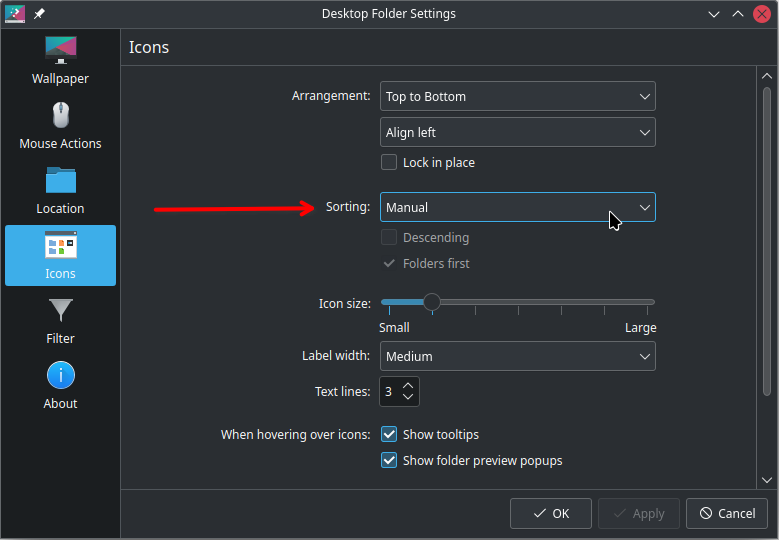
I use manually sorting.
Icon locking doesn’t help. They move every time the screen is turned off by timeout, even without session lock or reboot.
Operating System: Manjaro Linux
KDE Plasma Version: 6.3.4
KDE Frameworks Version: 6.12.0
Qt Version: 6.9.0
Kernel Version: 6.12.21-4-MANJARO (64-bit)
Graphics Platform: X11
Processors: 16 × AMD Ryzen 7 5700G with Radeon Graphics
Memory: 31,2 GiB of RAM
 .
.