I’ve been searching the manual, and online, but cant find an answer as to whether there is a setting to make the play-head return to the original selected start position on stop. I make a lot of music videos and need accurate positioning for adding markers and timed imagery. It’s seems illogical to me to only have the play-head stop at the position it’s stopped at, without the option to return to the original start point. I’ve also found the initial placement of markers, using the very low res audio block wave display, tricky for timings, making the need for returning to the selected start point even more crucial. I’m new to this excellent software so any help would be gratefully received.
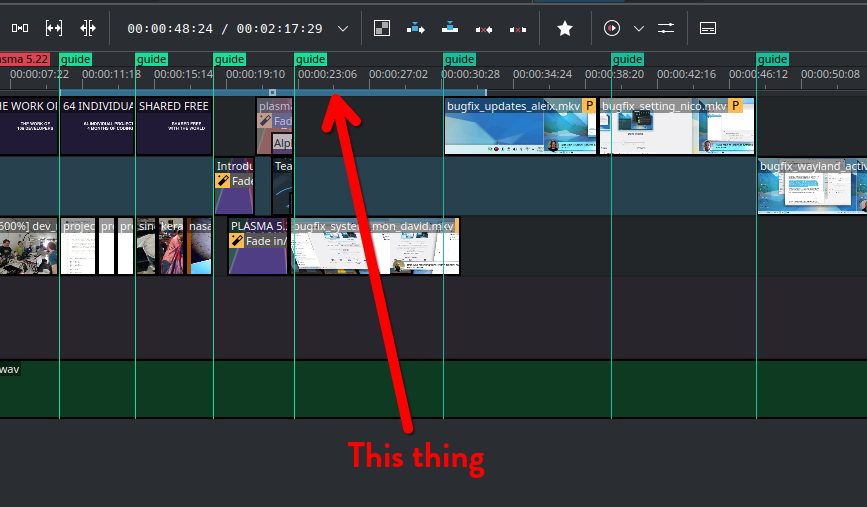
Thanks for your reply. I’m not sure this is the answer. I want to be able to hit stop and for it to return to the start of the selection.
I have not been able to find a function that will play the zone and then automatically take the play head back to beginning of the zone
BUT
I you hit [Shift]+[I] the head will jump back to the beginning of the zone.
You may find other keyboard shortcuts useful too and you will be able to define your own when you look under Settings > Configure Keyboard Shortcuts…
Loop Zone, perhaps? Ctrl+Shift+Space, or select it from the various playback option in the Project Monitor toolbar …
Probably @Zealotron means something else. With Vegas Pro it was a matter of course that you started playback by pressing the space bar and jumped back exactly to the previous starting point by pressing the space bar again. Kdenlive does it differently and I like this way much better.
But sometimes I would also find it useful if the cursor jumped back to the original start position. It would be nice if you could set this. Denn dann kann man eine bestimmen Bereich immer wieder anhören.
As someone trying to move away from Resolve and have an editing software that doesn’t break every week, this feature would make the transition a lot easier.
Whenever I’m editing something, it’s nice to be able to hit play and have the playback start exactly where I set it and not loose the position whenever I hit pause.
Hello @ZeptoBST
What are you doing that causes Kdenlive to crash every week? I use the latest AppImage on Linux and crashes are a rarity for me; what’s more, hardly anything gets lost as it saves automatically very reliably, so you’re unlikely to lose any of your work.
It’s great to hear that Kdenlive is more stable than the big-name Resolve.
That was, or still is, the case with Vegas Pro as well. For me, it was a real bonus that Kdenlive isn’t like that. But I know that some people would prefer it to be. As far as I can tell, that isn’t currently possible in Kdenlive. If I do need it, I make do with loop regions.
Would Loop Zone (Ctrl+Shift+Space) help? Define the zone you want to edit in, then hit Ctrl+Shift+Space to start playing, press Shift to stop or pause, then Ctrl+Shift+Space again to start from the beginning of the zone.
It works, but is a lot more convoluted then simply pressing space.
Agreed, but until that feature you are asking for is implemented (have you created a wish list item in the official bug tracker already?) this is the workaround I can recommend …
Just made a submission in the bug tracker (with “whishlist” priority).
Great! Thank you!
For everyone interested: bug report # 519449
The feature has just been implemented into Kdenlive.