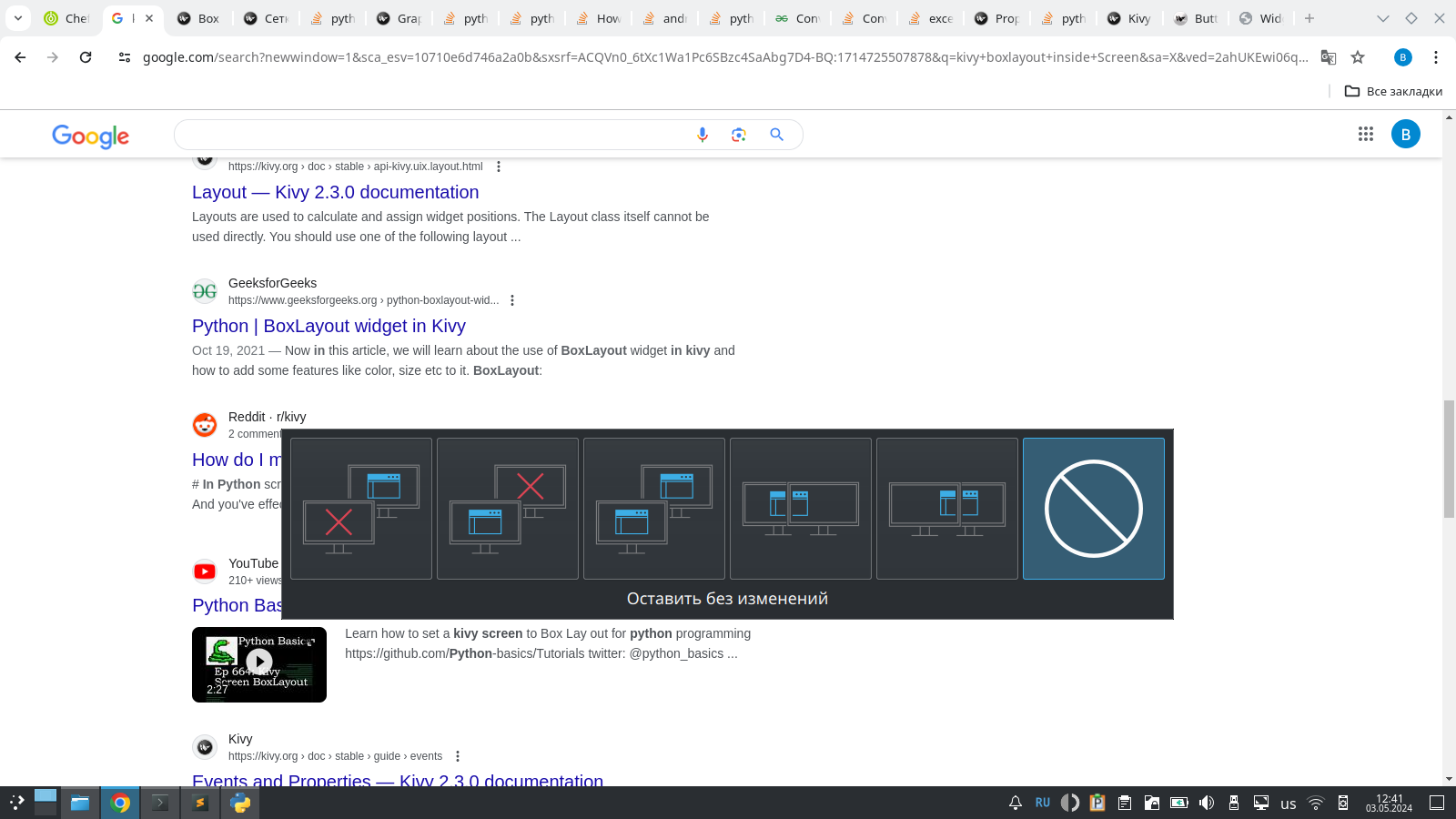
Hi everybody! First of all let me thank the KDE developers for such a great product! It’s incredible that I can use this for free! I have everything configured as I need it, but there is one problem that I just can’t solve. A window constantly pops up asking me to switch to another screen. This happens 10-20 times a day. I don’t need to switch my screen anywhere and I would like to disable this popup. I looked through all the settings, but did not find where this can be disabled. Help me please!
Thanks for the kind words about our work! It’s nice to feel appreciated.
As for the screen arrangement popup, it shouldn’t be appearing randomly. There are three events that can make it appear:
- You hit Meta+P on your keyboard
- You hit the “detect screens” button on your keyboard (if it has one)
- The system detects that a new screen has been connected for the first time
I suspect #3 is happening, and some bug is causing the screen to get re-detected as new over and over again.
Can you share some details about your physical hardware setup, and in particular everything about your screens and how they’re connected?
I’m having the same issue on my HP Pavillion dv6 laptop. I get exactly the same pop up as the original post. I’m on KDE 6 Plasma
-
Laptop with dual GPU (Intel + AMD Radeon HD 5650)
-
The popup appears randomly when opening apps
-
I’ve tried disabling kscreen without success.
-
It only occurs on Linux distros running KDE, all the others (GNOME, etc) work fine.
Any assistance would be appreciated
**I think I solved it troubleshooting with Claude ai. The problem is kscreen_osd_service and after disabling that the problem appears to have gone away.**
That works around the problem for your specific setup, but it doesn’t solve it for everyone encountering it. We still don’t know why it appears when it shouldn’t.