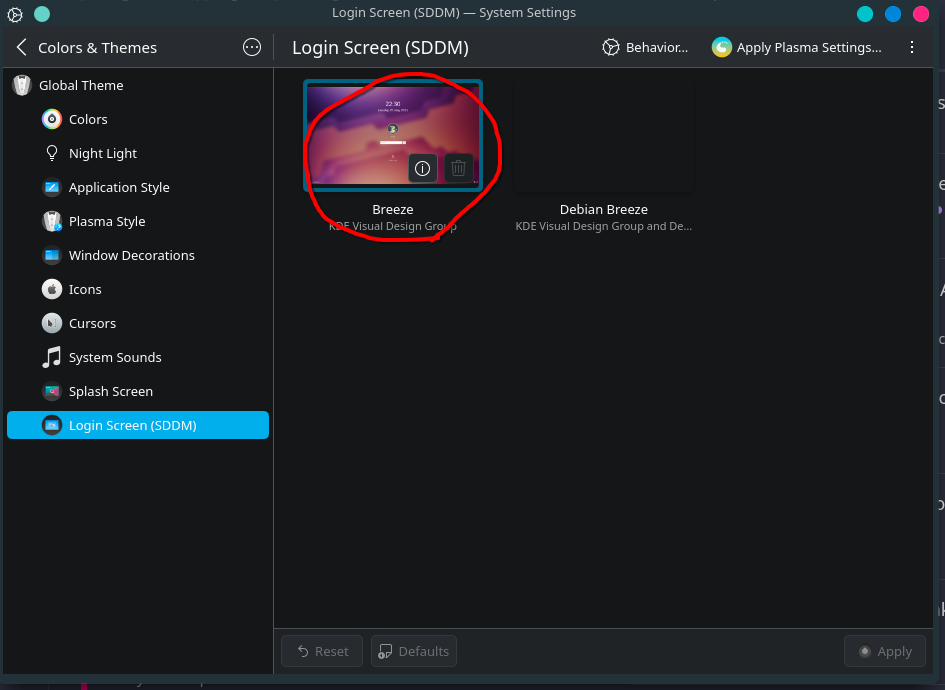
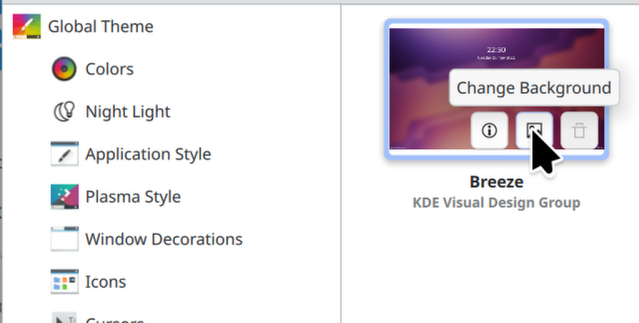
While trying to change my wallpaper on the login screen, it appears the option to upload an image has disappeared. Is this new and the button is somewhere else, or am I missing a package, or is this a bug?
This could be by design. None of the wallpapers or Login Screens are vetted by KDE. Of all things, you SHOULD NOT be able to just willy-nilly download a LOGIN screen someone submitted. The Login Screen handles your user password and nothing is stopping anyone from designing a Login Screen that not only logins you in, and seems legit, but could also create a disguised plaintext file of your password somewhere on the system to be used in conjunction with a hack attempt (remote or local).
Your “Debian Breeze” login screen is not showing the image. IF you were to use that login screen it would be just a white screen with the login widgets(boxes, name button etc..)
A workaround was to edit “/usr/share/sddm/themes/debian-theme/theme.conf.user”
I noticed “background” was set to “background-nologo.svg”. I changed this to a full system path and it solved the missing image(/usr/share/sddm/themes/debian-theme/background-nologo.svg).
If you copy whatever image you want into this directory (for uniformity) and set the background to it as a temporary workaround
I’ve experienced this on 2 different systems; 1 of which as recent as this week’s trixie/testing build. Considering the heterogeneity of hardware* and install scenario it seems reasonable to expect broad impact.
I realize this is something for package maintainers but I can’t imagine a world where they’ve allowed a debian point release to ship with a version of plasma that can’t be customized…no?
@tekweaver i get what you’re saying but imho that reads like regression unless it’s documented somewhere. At best there’d be inconsistency between what the ui communicates (“get new blah blah…”) and what the user can actually do (break sddm).
Essentially: trixie install goes fine, sddm functions normally on reboot, attempt to change anything with sddm, reboot to default all-white no-background sddm ui. No magical mish mash of conf settings could rectify it, nor could relocating default conf files from /usr… to /var… The only ‘fix’ was installing gdm3 or lightdm.
Has anyone else either experienced this bug or have insight as to whether it’s accounted for?
Revisiting this topic after the 3rd multi-day session of being hamstrung by this (unresolved) nonsense.
If I’m to understand you correctly, KDE users must either:
accept sddm-theme-debian-breeze as the only applicable sddm theme despite systemsettings presenting customization option(s) to change it, and
if they choose to change it using said customization option(s) the expected behavior is that the entire WM UI breaks with no warning, explanation, or possible way to fix it without sudo judo via shell, OR
they should just use gdm3 or lightdm because doing so results in something that actually works.
Anyways, I just realized an aspect of this that may not be clear. I am not asking about non-administrative users performing this action. Of course the auth is expected/required when writing to /usr. After successfully authorizing the changes is when SDDM goes tits-up
edit: now the pencil shows up? time-limited edits restricted to…<20 minutes? lol wut