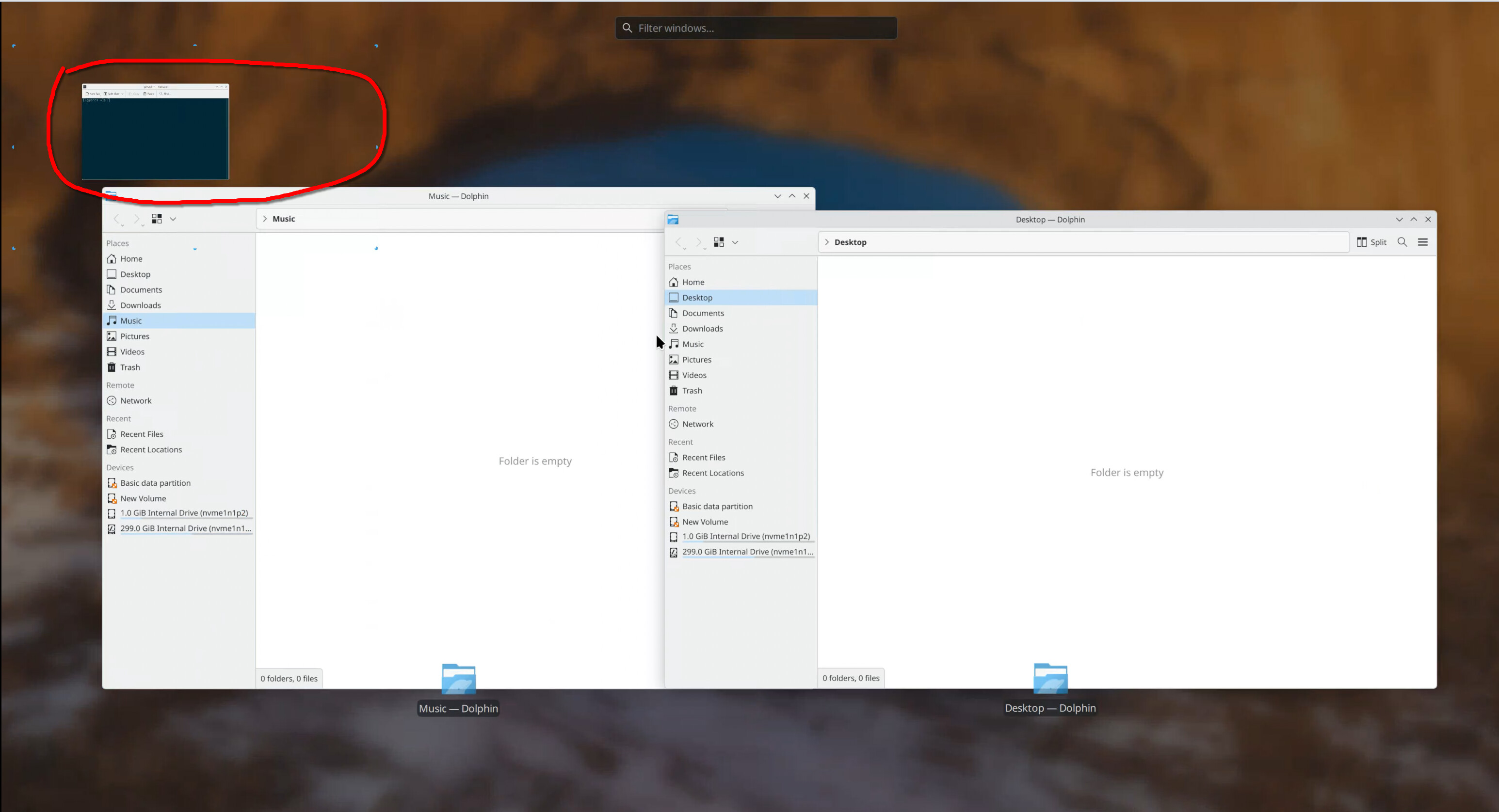
The feature works well, actually; the windows for the current application are presented nicely and smoothly. But there is a little annoying thing that makes me feel bad. If there are other windows opened (but not minimized) from other applications, there will be window-minimizing animations to the top left corner for all those opened windows.
However, I only care about the windows for the current application when I press Ctrl + F7. The minimizing animations are pretty annoying; they don’t provide any useful information. Is there a way to disable that animation? If there is no way to disable it, do you think it’s a good idea to disable the behavior or at least provide an option to disable it? Thanks.
settings > desktop effects > present windows > configure
there is an option to ignore minimized windows…
i don’t see these animations you speak of so maybe just set your animation speed to instant under general settings
It’s not the same effect. Please check the screenshot, I trigger present windows for Dolphin. But meanwhile I have a terminal window open, and it’s even in the bottommost position so it’s not covering the Dolphin windows (which is actually impossible since it’s presenting windows for the current application, the window for the current application is for sure to be on the top).
I expect the windows for Dolphin to be presented, which works, but what I don’t expect/want is the minimize effect for the terminal window, the windows for other applications should just disappear(maybe with a fade out effect, minimizing to the top left corner is just too disturbing). macOS does what I expect exactly, and I think it does the right thing.