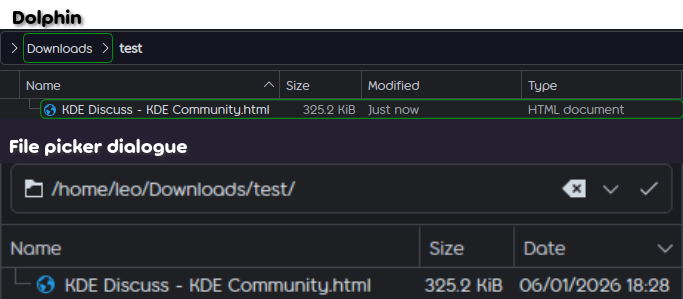
Relative date display or time ago formatting in Dolphin is very handy and makes it easier to understand file dates, for example, finding the file which you just downloaded as it says “just now”.
However when the Dolphin file picker dialogue opens these formats are not shown, only the generic date format. This can be annoying as I might have just saved/downloaded something, then wanted to upload it, and the simple “just now” date does not show, meaning I often have to double check that it’s the correct file.
Of course there are many other situations in which this causes friction as well.
that would be nice, but as i understand it the file picker is separate from dolphin and even if you could get the file picker to observe dolphin settings, it would only do so when evoked from dolphin and not so for the myriad of other places where the file picker is used by other Qt apps.
for that i would think you would need a plasma wide setting for date format.