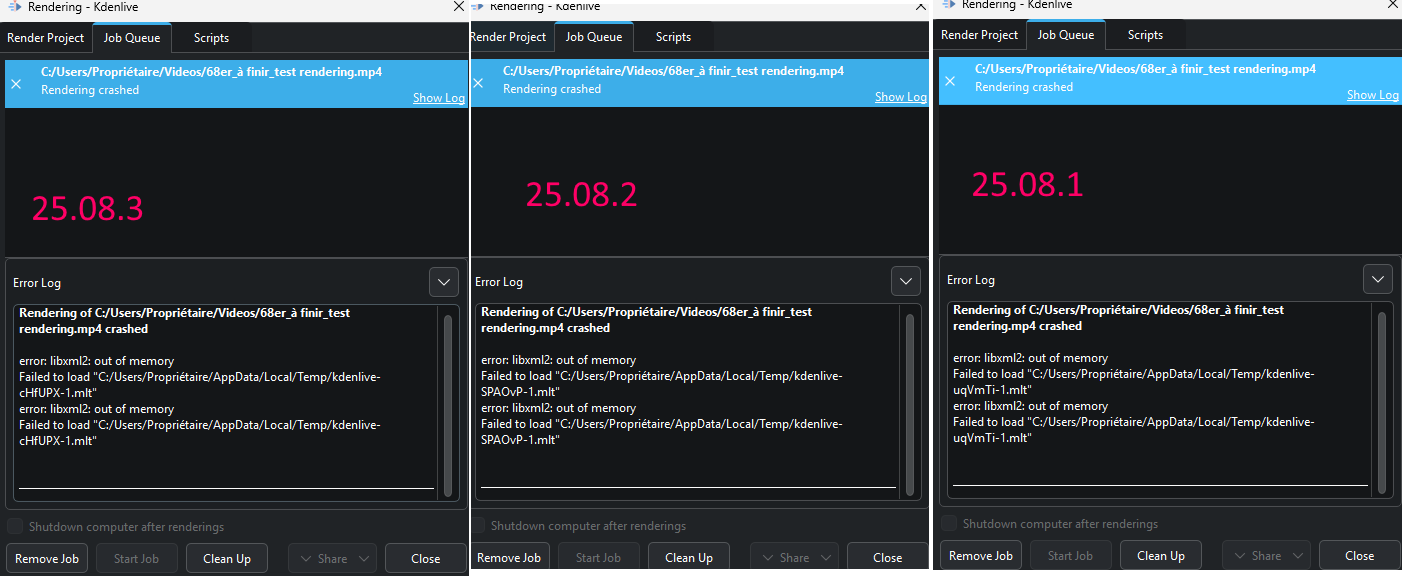
After I had to format the pc Kdenlive start to give me a big problem.
When I try to render any project the process crash with the following error message:
error: libxml2: out of memory
Failed to load “C:/Users/Pòl/AppData/Local/Temp/kdenlive-lplqcz-1.mlt”
error: libxml2: out of memory
Failed to load “C:/Users/Pòl/AppData/Local/Temp/kdenlive-lplqcz-1.mlt”
I’d allready tryed with many solutions searching in google but without success.
Kdenlive version: 25.08.2
CPU: intel core i7-3517u - GPU intel hd graphics 4000
I had the same problem with version 25.08.3, with the same error message (error: libxml2: out of memory). I had to downgrade to version 25.04.3. I tried to solve the problem with the help of ChatGPT, but nothing helped…
Just to prove a point: Can you render successfully if none of the clips used and none of the folders have any special characters? This might be difficult for French language settings but it’s worth a try. Thanks!
@Mark75 Please try with the 25.12 RC . The issue should be fixed.
Hint, if you like to run Kdenlive as standalone:
Download the exe file. Open it with 7-zip. Drag the file kdenlive-release_25.12-11623-windows-gcc-x86_64 out to the desktop. Unpack it with 7-Zip. Go to the folder bin and double click Kdenlive.exe
Hi,
→ For berndmj: Even if the video clip files or folders do not have accents, the error message appears.
→ For Eugen_Mohr: I used version 25.12RC in standalone mode, and I was able to render the video without errors.
I hope I was able to help in some small way. Thank you very much.
Yes, I encountered the same problem. I changed the folder name in the C drive path of my computer and renamed the “乔禾木” folder in “C:/Users/乔禾木” to “Qiao123”. Then the video export was successful! However, renaming the folder is a complex process that can cause many system file configurations to change.
According to the information I have found, the problem may be that the underlying library libxml2 encounters issues when processing file paths containing non ASCII characters (such as Chinese, spaces, special symbols), especially on Windows systems.libxml2 is a library written in C language, and its default encoding and path handling methods do not fully support non English characters, which may cause it to fail directly when attempting to read or write temporary files.
For this issue: I am testing a new solution
1. Edit system environment variables: Point the temporary file directory of the current user to a pure English path using the TEMP and TMP variables
2. Check if Kdenlive supports changing temporary directories internally