I had a couple of rabbit holes I needed to get to the bottom of first before making new changes to this widget, but:
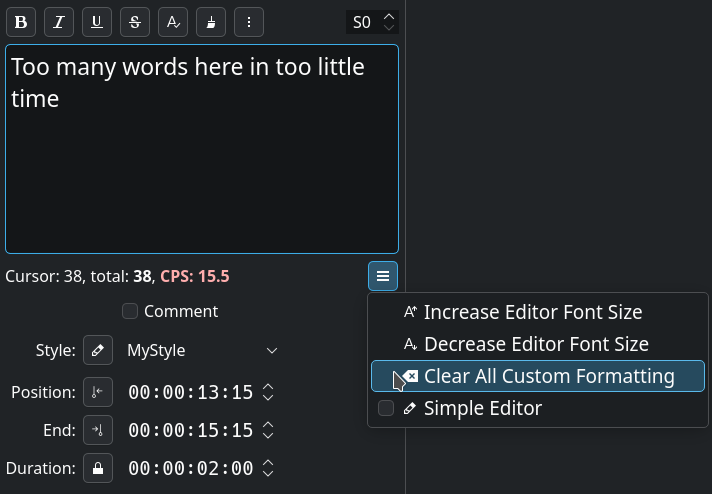
This was indeed easy enough to add, including finding and fixing a bug where the cursor would count characters in option blocks after the first one and then ‘uncount’ them again once it moved past it, and a couple of other little glitches in there.
It displays normally until CPS rises above 15cps, and then is highlighted in increasingly angry shades of red for larger values.
It turns out this already exists. The option is just hidden in the hamburger menu under the bottom right corner of the text entry box. And it does exactly what I proposed above.
Possibly we should rename “Clear all custom formatting” to something like “Clear all inline tags” though? Open for opinions on that one. It doesn’t clear “custom formatting” which is part of the selected style, and option blocks can contain more than just formatting …
And I’ve fixed the basic html tag conversion to be case insensitive, so if the normal grouping works for you, all of this is now at various points of In The Pipeline.