Hello!
Rumdl as a markdown languageserver in Kate
This not a question, its about how did I handle some markdown lsp issues in Kate. I hope it helps!
I’m using Kate about 6 month very exclusively for document productions. I newly jon the community and searching about some markdown things saw some issues on markdown lsp. I tried vscode-markdown-languageservice, marksman, and some many. I coudn’t handle to start and run as expected
The Solution
Finally I found Rumdl markdown language server, linter, checker and formatter. All things just works as expected. It need just a little adjustment based on your project. There are enough information on GitHub Rumdl or Crates Rumdl you can set up quickly.
My toml set up
Here is my global settings for rumdl.toml for my needed set up.
# rumdl configuration file

## Global configuration options
[global]
include = [
    "docs/**/*.md",
    "README.md",
    "*.qmd"
]
## Globally disable specific rules
disable = ["MD001", "MD003", "MD025", "MD033", "MD056", "MD060", "MD050"]
respect-gitignore = true

[MD013]
line-length = 800  # Maximum characters per line (default: 80)
code-blocks = false  # Don't check code blocks (default: true)
tables = false  # Don't check tables (default: false)
headings = false  # Check headings (default: true)
paragraphs = true  # Check paragraph/regular text (default: true)
strict = false  # Disables exceptions for URLs, etc. (default: false)
reflow = true  # Enable automatic text reflow/wrapping (default: false)
reflow-mode = "default"  # Reflow mode: "default", "normalize", or "sentence-per-line" (default: "default")
length-mode = "visual"  # How to count line length: "visual", "chars", or "bytes" (default: "visual")

[MD029]
style = "ordered"

[MD046]
style = "consistent"

[MD048]
style = "backtick"

[MD049]
## Emphasis style (* or _)
style = "asteriks"

[MD051]
anchor-style = "github"

[MD055]
## Table pipe style (leading_and_trailing or no_leading_or_trailing)
style = "leading_and_trailing"

[MD022]
# Different spacing for each level: [h1, h2, h3, h4, h5, h6]
lines-above = [0, 0, 1, 1, 1, 1]  # h1 needs 2 blank lines above, others need 1
lines-below = [0, 0, 1, 0, 0, 0]  # h4-h6 don't need blank lines below

[MD024]
allow-different-nesting = true  # Allow duplicates at different levels (default: false)
siblings-only = false             # Only check siblings at same level (default: true)
Rumdl Showcase
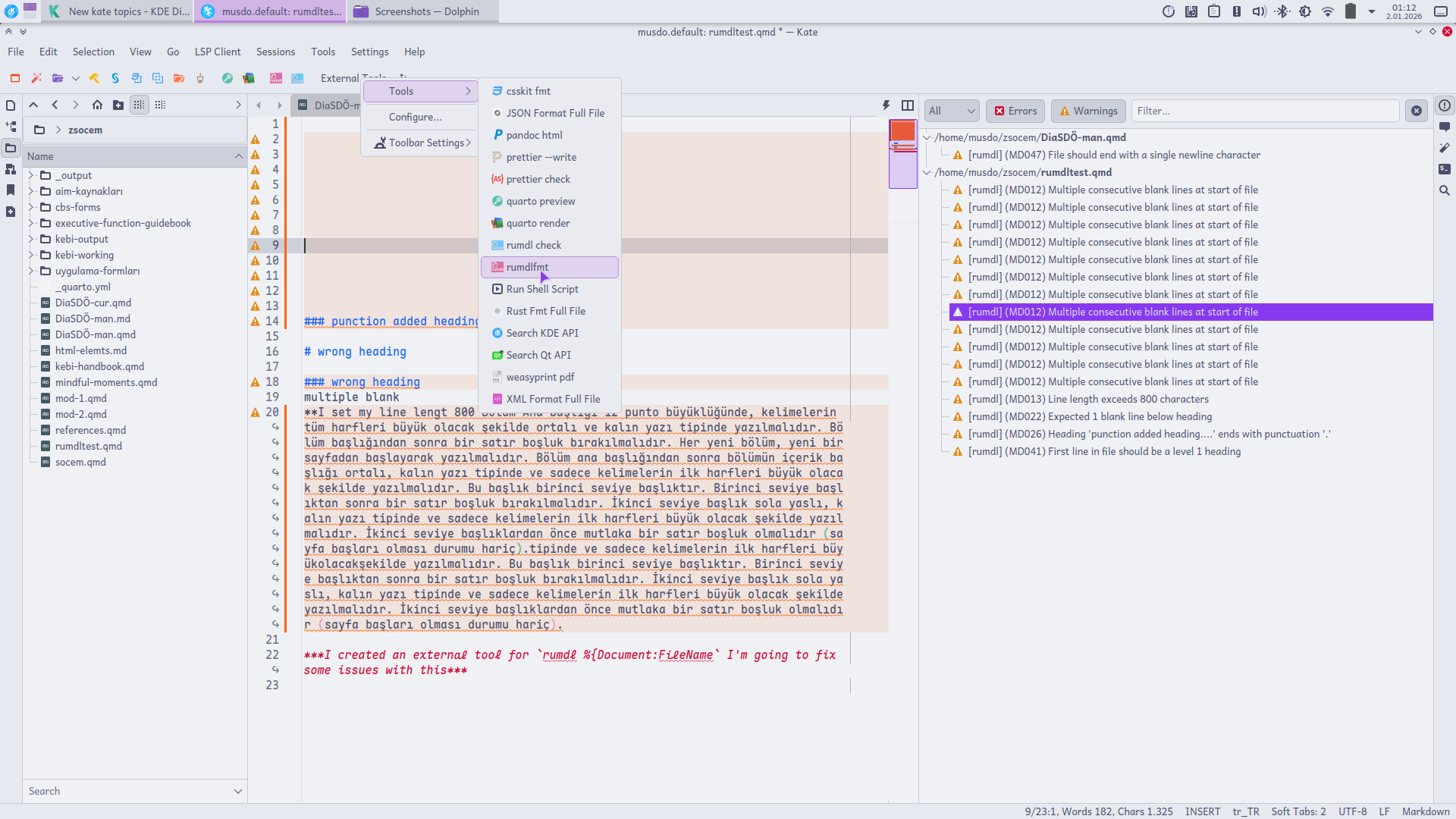
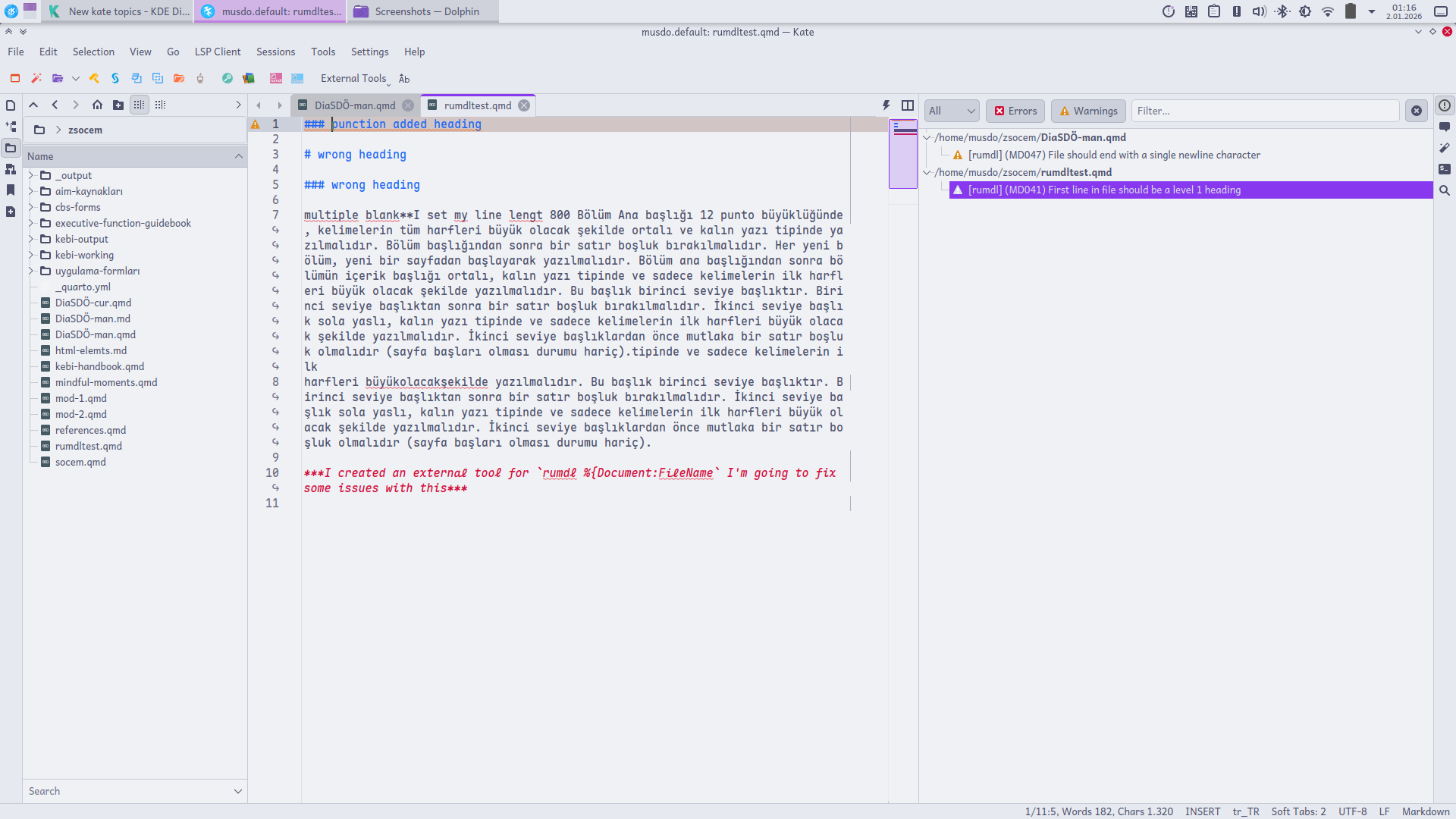
Thank you for Kate and KDE, BEST!!