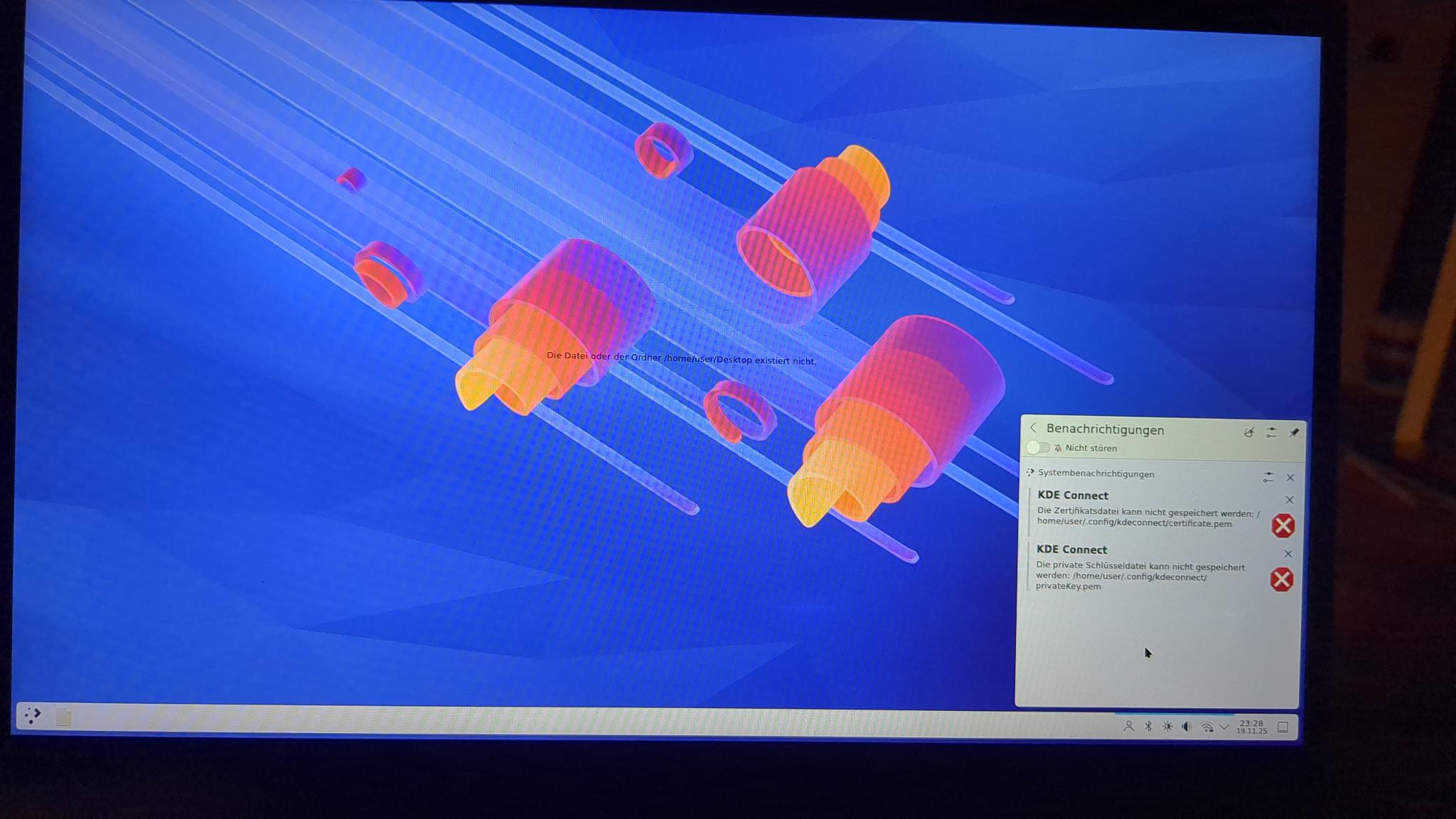
I am trying to secure my system by restricting home to be non-executable.
As Linux depends on code running from random locations, I will bind mount those with exec permission.
This makes things like antivirus scanning way easier, as only a controlled set of directories can even contain executable code, and only that has to be scanned.
KDE Plasma
Where does KDE store executable code? By default, the theme is reset to default, the desktop shows “there is no Desktop folder”
There was an issue with kde connect not being able to store a certificate .pem file
the start menu was empty and showed no applications
For now I will try allowing the entire .local and .config to execute (even though that is very broad)
I don’t think there should be much need (if any at all) for executables in $HOME.
I just ran find . -type f -executable in mine and I have a couple of entries in $HOME/.local/bin (mostly scripts I put there), a handful of app launcher icons in $HOME/Desktop and two AppImage files I have user-local instead of system wide.
All the other occurrences where from runtimes, e.g. Steam, Wine, Cargo, NPM.
I was thinking the same thing. The executables (KDE & other apps installed by a package manager) are typically located outside the home directory, in /usr/bin and /opt and owned by root
.var/app may also contain executable code if Flatpaks are installed at user level. Likewise snap for Snaps. Usually these would be programs and scripts that end up in the .local and/or .config directories once inside the sandbox.
Incidentally, while I’m not very familiar with bind mount, I wonder whether these errors you see are seeing relate to removing execute permissions from directories. Directories must be executable to access their contents.
Hi all, yes of course I also thought of these, but none of them should be affected. I even bind mounted them back, and would then run a malware scan on only those directories.
But this cannot be it, there have to be core plasma features like the panel, the desktop entries, applets etc requiring executable code in home.
Or my setup was wrong and didnt just mount /home nonexecutable. But I highly doubt that.
The system was working too, just a lot of plasma things werent
I feel like those problems don’t necessarily lead to that conclusion. It can be something like necessary files rendered inaccessible in some way by squirrel/human error (like SELinux or via containerization).
How are you making your home non-executable and how are you bind mounting things?