is there a place where the Information panel width can be set, so it always opens at that width?
I guess under configuration. Set Show on startup as Folder, tabs and window state from last time. But that means if you were last in the pictures folder, when you reopen Dolphin, it’ll open in the pictures folder rather than /home. Whatever tabs you had open, will be open too, et cetera. But the information panel should be the same size at least.
Cheers.
I had a look and its seems I already have that enabled.
I was hoping there might be a variable that can be set in ~/.confg/dolphinrc
right click on any panel, unlock panels, arrange them how you like, lock the panels again.
cheers, yeah it just resets when I press F11 twice. gonna have to hunt about in the code a bit more.
that’s a regression then and should be reported to bugs.kde.org
also look in
./.local/share/dolphin/dolphinstaterc
you should see changes to that if you change the size of a panel.
I changed my shortcut to Ctrli, but I can say that with Dolphin 25.04.3 on Plasma 6.3.6) the width persists between sessions.
I’ll have to try with a fresh profile, maybe something is corrupted. whatever I do doesn’t persist, I can set a size, close dolphin, re-open, the size is the same, but then it’ll go back to the default width when I do something else, open a split pane and resize it manually, then it’s lost it. I think there is some logic to how it sets the size, rather than a number.
This is the way.
My reputation is on the line here…
~
⮞ fd -H "dolphinstaterc"
.local/state/dolphinstaterc
~
⮞ kate ~/.local/state/dolphinstaterc
Wrong path for me there… but you’re on the right track.
I opened the file in Kate (disabling Autoreload, then you get a notification telling you the file is changed on disk, and you can view the diff).
So 1. Open ‘info’ and 2. ‘resize info panel’.

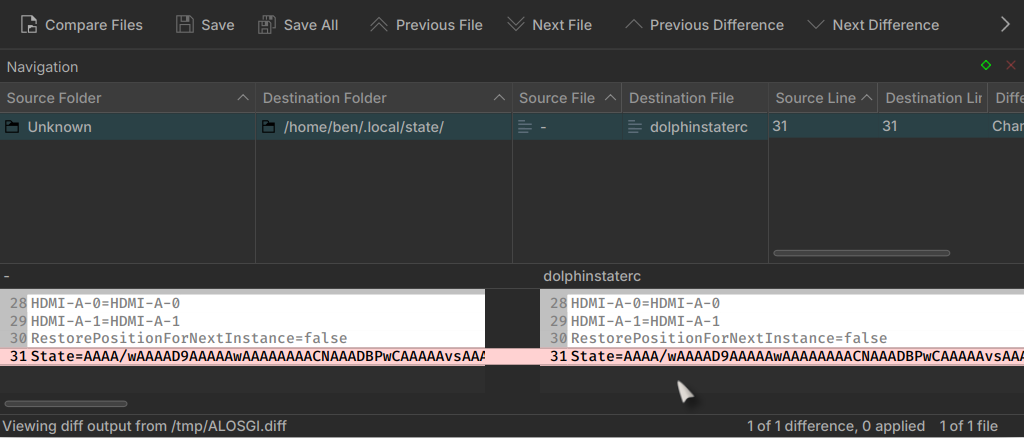
Not exactly plain English, but clear that the state is saved.