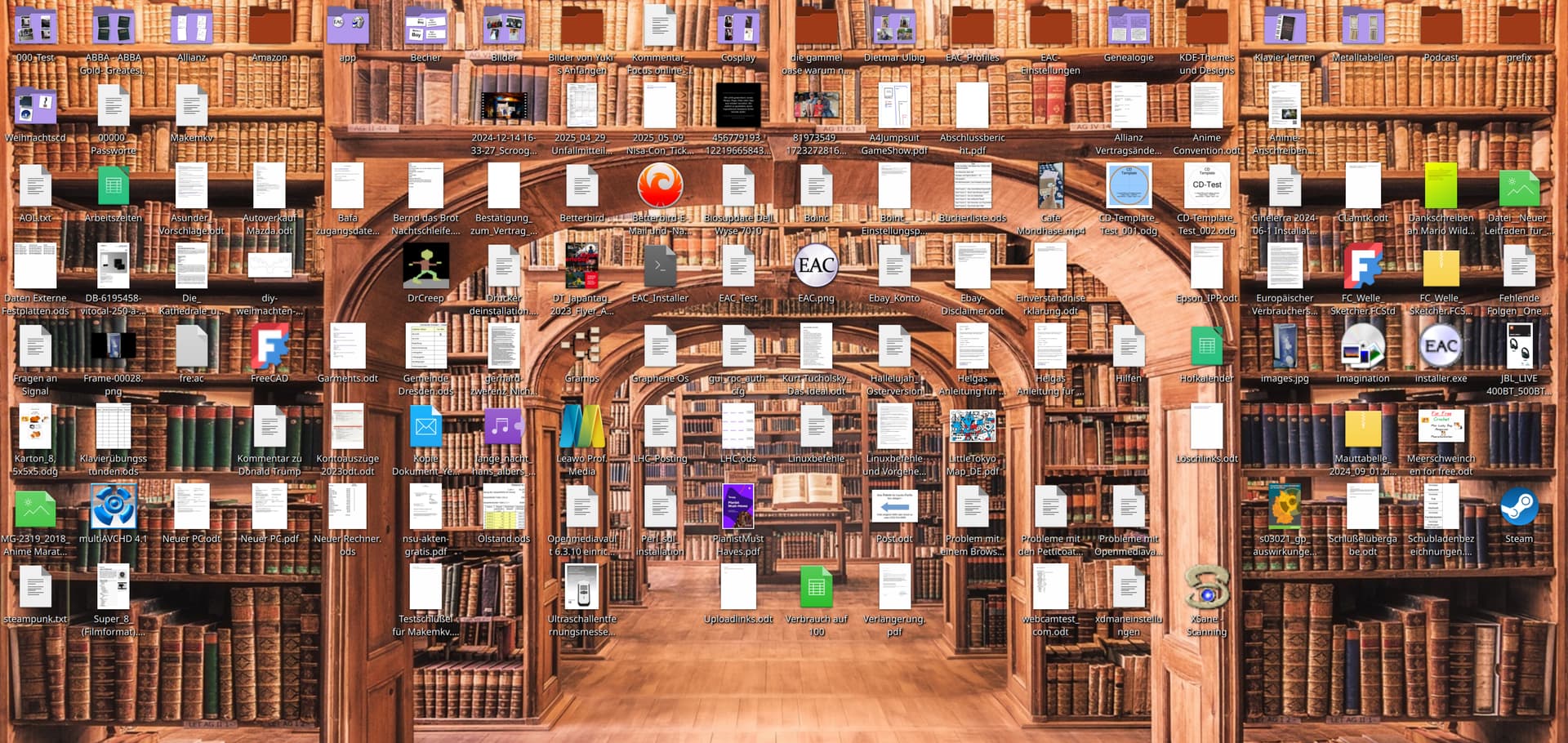
“Sort icons” does not function properly

Hello!

I have the folder view under Activities, and all files are displayed there. So far, so good.

I also use this view as a clipboard, and over time, many files accumulate that do not belong there.

When I delete or move these files, gaps remain in the view.

To get rid of these gaps, I have to re-sort the view. “F5” does not work, and there is no option to re-sort in the context menu.

In the context menu, I have selected “Unsorted” and “Folders first,” but then I have to change the sorting—for example, to ‘Name’—and then go back to “Unsorted.”

It would be good if “F5” or an automatic function worked here.

Or have I overlooked something?

Best regards, R. Lehmeier

My system:

Operating system: EndeavourOS

KDE Plasma version: 6.4.4

KDE Frameworks version: 6.17.0

Qt Version: 6.9.1

Kernel Version: 6.16.0-arch2-1 (64-bit)

Graphics Platform: Wayland

Processors: 24 × AMD Ryzen 9 7900X 12-Core Processor

Memory: 128 GiB of RAM (124.9 GiB usable)

Graphics Processor 1: AMD Radeon RX 7900 XT

Graphics Processor 2: AMD Radeon Graphics

Manufacturer: Gigabyte Technology Co., Ltd.

Product Name: X670 AORUS ELITE AX

Translated with DeepL.com (free version)

if you are specifically talking about sorting icons on the desktop (using the folder view layout), then the sort order and arrangement are controlled by desktop folder settings - icons under desktop and wallpaper from the context menu.

these settings are separate from dolphin and the behavior of icons on the desktop is not the same is it would be in a folder view in dolphin

when using manually sorting the desktop becomes embodies the desktop metaphor where items are supposed to stay where you put them (like a real desktop)…. so yes, if you pick up an item and move it somewhere else, then the place where that item was will now be empty.

this is by design and i would strongly resist any effort to change that because that is the value of the desktop metaphor to me, i use it everyday.

if i just wanted an icon view of what is on my desktop, i would use dolphin or the folder view widget.

If you are specifically talking about sorting icons on the desktop (using the folder view layout), then the sort order and arrangement are controlled by the desktop folder settings – icons under “Desktop” and “Wallpaper” in the context menu.

I can’t find “Desktop => Background Image” in the context menu

These settings are independent of Dolphin, and the behavior of the icons on the desktop does not correspond to that in Dolphin's folder view.

I realize that, they are two different applications.

When sorting manually, the desktop embodies the desktop metaphor, where items should stay where you placed them (like on a real desktop) ... So when you click on an item and move it to another location, the original location of that item is now empty.

This is intentional, and I would strongly oppose any change, as this is what makes the desktop metaphor valuable to me, which I use every day.

I don’t understand the point of gaps on the desktop. To me, it’s a waste of space and only creates confusion.

If I only wanted an icon view of my desktop items, I would use Dolphin or the folder view widget.

Why should I open an extra program when the desktop is always open and gives me such a clear overview? As for the widget, it’s too confusing for me.

It’s really sad.
KDE 4 could already do all of this, but unfortunately KDE has forgotten how to do it again since KDE 5.

when you right click on the desktop you don’t see this menu?

do you have gaps on the desk in front of you right now, or everything on your desk bunched up in the corner? :stuck_out_tongue_winking_eye:

the widget is more like what you want…. no gaps allowed and you can make as big as your actual desktop if that’s what you want.

A Picture say more than 1000 Words. :wink:

One of those things with DE’s. Why on earth is this thing not yet fixed. Two desktops, as it were, two separate behaviours. And don’t get me to servicemenu …..issue. It’s not THAT big of a problrrrrrrm, nothing enlightning, yet. I mean, I get no prob running a Rox desktop on an openbox setup…..with some weird a.. fm . Go figure. Mind you, I’m on 5-ish, dunno what’s the status on latest 6-ish. Still. Seriously,this desktop, desktop-desktop,~/desktop thing ……

yikes

pass the eye bleach.