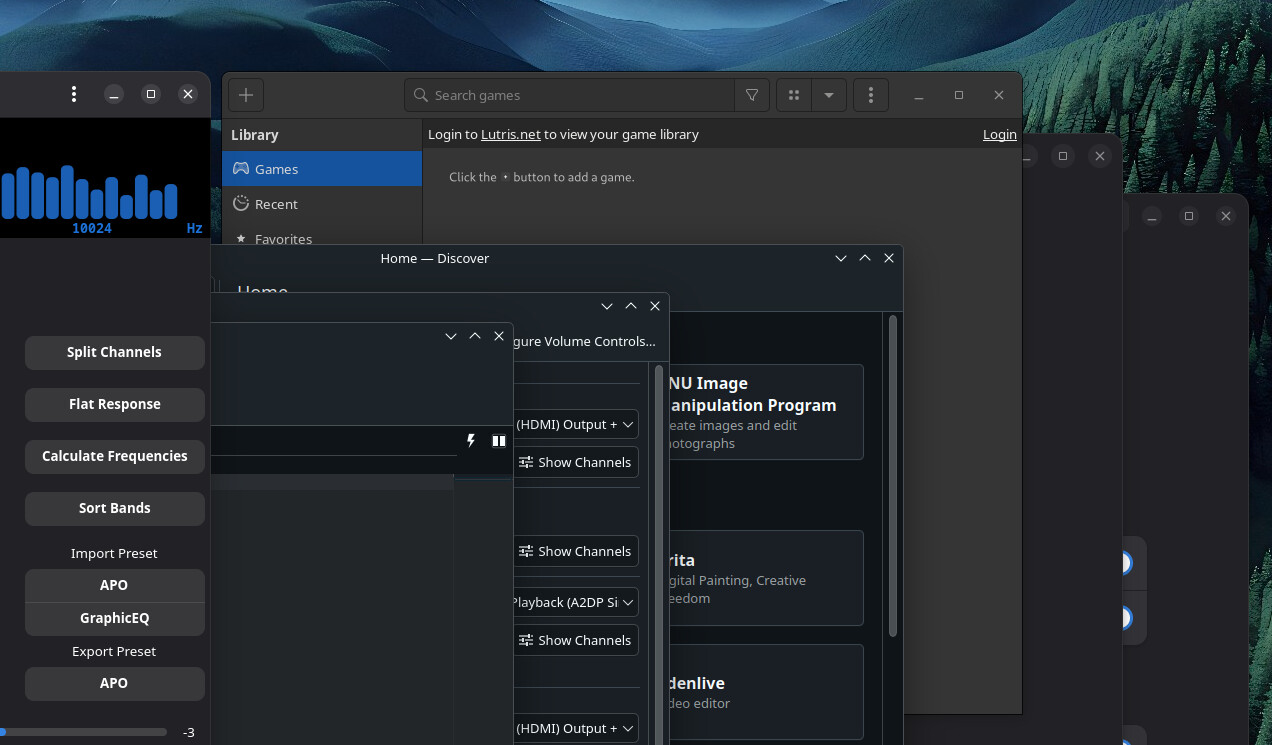
General Linux question, I know this isn’t KDE’s fault.
So there is still no way to cure this split personality disorder? If I wanted GNOME aesthetics, I’d be using GNOME. Or am I missing something? Unfortunately, it’s impossible to simply avoid those apps.
Thanks!
You can copy and paste css into .config/gtk-4.0/gtk.css. This is the only way that partially works now. Most other hacks break with each update to gtk.
If you need titlebars like KDE, use GitHub - lah7/gtk3-classic: Patches to bring back a traditional experience for GTK+3 or MorsMortium/GTK4-NoCSD: A small LD_PRELOAD library to disable CSD in GTK4 and LibAdwaita apps. - Codeberg.org.
If you want to make the window buttons to be same between those two apps, use GitHub - paulmcauley/klassy: Klassy is a highly customizable binary Window Decoration, Application Style and Global Theme plugin for recent versions of the KDE Plasma desktop.
Given the route gtk is taking, gtk5 apps will most likely become unthemeable like flutter, electron, tauri and fltk apps.
Thank you. So, basically it’s makes little sense to try any of those solutions you suggested as in the long run they many not work and just accept the status quo? Better not get used to them? Did I get that right?
I mean, Windows 11 is a hot mess of UX/UI inconsistency too and I got used to it. I just was hoping for a better experience on Linux.
To be fair, I’d say its more difficult to find good native alternatives for KDE apps if you are a Gnome user than the other way around, especially around media management and manipulation. Software like Digikam, Krita, kdenlive, okular, inkscape and more are difficult to replace imo in the GTK space.
But yes, it is annoying sometimes. I just try to avoid GTK apps as much as possible.
I never used GNOME long enough to notice much, but KDE apps looked bad on Mint Cinnamon as far as I can remember. Yup, to be honest, they looked worse, kind of broken, than GTK apps on KDE. At least GTK apps look “normal” on KDE, they just don’t follow the theme.
This is one of several reasons I’d rather stay within KDE’s “ecosystem”.
But yeah, this one of the major Linux annoyances.
If you use libadwaita apps, you can put export GTK_THEME=Breeze into your ~/.bash_profile to make them pick up the GTK theme. Regular GTK4 apps pick up the GNOME/GTK Application Style setting in System Settings, if you have kde-gtk-config and xdg-desktop-portal-gtk installed, but they also pick up GTK_THEME. GTK3 apps should pick up the System Settings option too. gtk3-nocsd is also good against GTK3 headerbars, it still works on latest GTK3 versions and also on wayland, where gtk3-classic does not