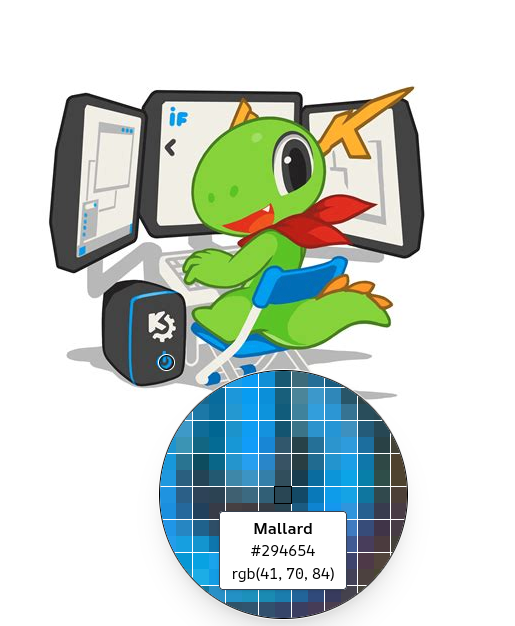
Today, while doing a little customization, I decided to add a color picker, but to make it easier to use, a magnifying glass feature should be added to the color picker plasmoid configuration section, and it should be enabled by default. This will make the color picker more functional. Just like in the attachment, that is.
as long as it also works with kdialog --getcolor, pick screen color…. then, i think it’s a great idea.
would love to have a little magnifier tool when using that.
1 Like
I wonder if one can’t just “zoom in” while a picker is active
1 Like
Zoom is not available in the plasmoid version.
Sure, but any new feature would require a new version anyway.
If the standard KWin zoom effect can be used while a color picker is active it would potentially work for all color pickers.
1 Like
Yes, it would be good if they fixed this in the new version, but it would be a little easier if we could see the pixels as in the attachment and see the color code below, except for the zoom.
it sort of works.
you can zoom BEFORE you choose the “pick from screen” button in the color picker
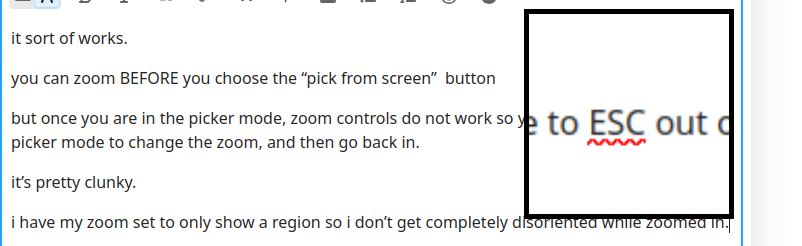
but once you are in the picker mode, zoom controls do not work so you have to ESC out of picker mode to change the zoom, and then go back in.
it’s pretty clunky.
i have my zoom set to only show a region so i don’t get completely disoriented while zoomed in.
1 Like
the color picker we can add to the panel I mentioned
Look at your letters. They’re blurry. This way it’s hard to pick the black color and it’s more likely to pick a dark gray one. Color picker zoom need pixelated zoom (without interpolation) to be useful. At least if people want to pick an exact color.
2 Likes
the blur is actually what is on the screen… that’s not an artifact of the magnifier.
in fact that’s WHY i would like to have a magnifier in the color picker because you need to be able to more easily pick out the the true color and not accidentally get some of the blur color.
3 Likes
Just a communication issue, seams we’re thinking in the same direction.
1 Like
i am specifically talking about the kdialog --getcolor
color picker and it’s pick from the screen feature.
i would to see the same magnifier used there by default
using the meta + = desktop effects magnifier feature is a clumbsy work around but it would be better if the magnifier were built right into kdialog so all the KDE color picker experiences would be the same.
1 Like
I think the same thing. A good example is in the attachment at the top.