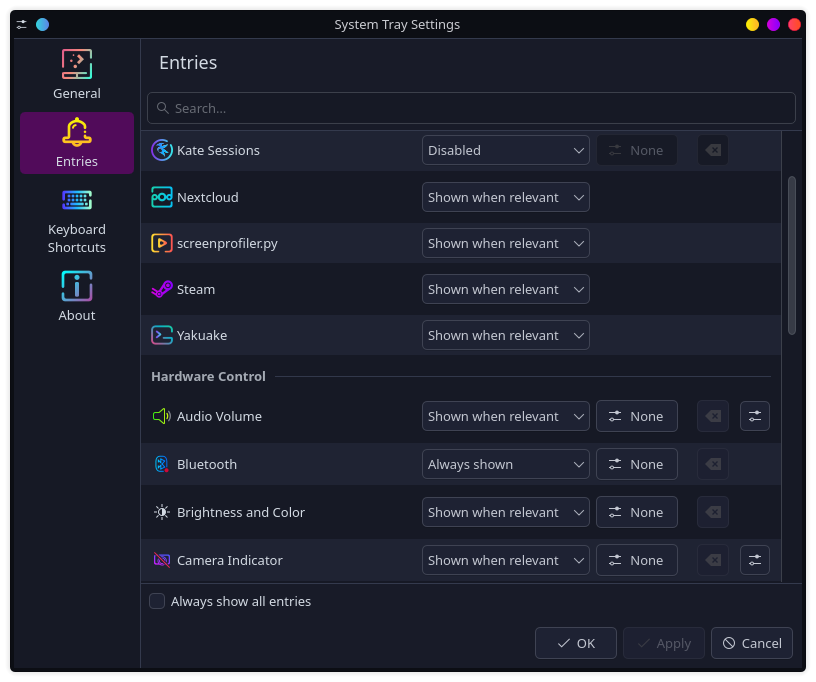
Folks, I am at my wits end here. I know there’s a lot going on with icons, and I’ve mostly nailed down what I need to know with taskbar/desktop icons. However (and this is a big however for me) I continually struggle with the system tray icons. I know a lot of this has to do with the developers of the applications creating system tray entities, but I’ve spent 10+ hrs in the last three days trying to identify what icons are being used by each app. So, to my question:
Is there an application/tool/method to identify what icons are being used by an application in the system tray?
I can handle modifying the icon packs/libraries myself, I quite literally only need help with identifying the name of the icon being used by the application (of course I’d be ecstatic with any lessons-learned you’d be willing to share about the rest of the topic, but primarily my focus is on the identification of the icon name) .
With genuine hope that I’m merely being an idiot & there’s a simple answer,
PhoenixGrey
It does show me the name of the program and shows the associated icon, but I’m trying to get the actual name of the icon used. For example, the program Nextcloud is currently showing it’s titular icon, but from what I’ve found in the code it can also be alternatives like “state-ok”, “state-offline”, etc. Another example would be the advanced-reboot plasmoid which actually uses “plasmoid” as the name of the icon for the system tray. That’s where I’m having trouble.
You seem to have more skills and experience than me in this area, but as far as I can see, this is a big maze where virtually each and every app, applet/widget/plasmoid has its own way.
I usually struggle to change default system tray icons of some third-party apps which don’t support dark/light monochrome ones, and at least one of them requires unpacking and repacking an “.asar” file. I also need to tweak KDE Plasma’s own ShowDesktop and Trash plasmoids so that I can use them with color icons in a Dock-style mode instead of system tray.
There is no way to do this for most system tray indicators as they usually put a hard coded image that is displayed as a QIcon.
If the goal is to replace those icons you will need to use something like Hardcode-Tray but even then there will be proprietary applications where such modifications won’t be possible, also that project is defectively unmaintained right now unless someone picks it up again.
It works by running on the same panel where the system tray is, then finds and hashes each icon as provided by the system tray internals, then replaces the visual representation (Kirigmai.Icon)