Since the update to 6.6.0 sometimes the mini apps refuse to show, this happens most frequently to the system tray, but has also happened to the launcher. When this issue presents, the color bar above the system tray or the launcher icon is turned on, but nothing is displayed. Once it starts occurring the issue persists until reboot or logout fixes it, but it then returns. I’ve uninstalled window management kwin scripts, but that is not the issue.
What are ‘mini apps’ ?
The small windows that appear when clicking on some of the icons of the system tray. It was a direct translation from the localized panel options, it seems that in English the word used is “applets”. Below is a link to an example.
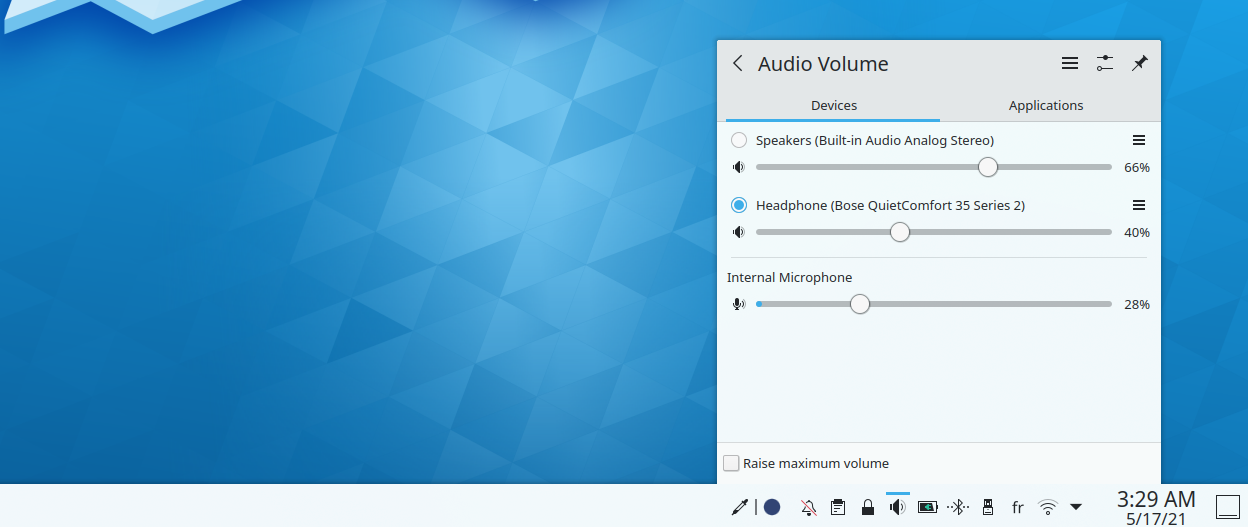
Aha, thanks for clarifying that.
Ok, that’s troublesome - you should verify that it’s a system, or USER issue by creating a new test account.
Log in to Test (password test) and see if it works.
I waited for the 6.6.2 update. I was not able to reproduce the issue on the test user. On the other hand Ive turned off or change just about everything I can think of that may have an influence without success. Like theme, colors, icons, kwin scripts. Ive deleted all my panels except one, that I cloned, and then deleted the original one.
Funny thing, once it has also affected the krunner, did not appear with alt+space, but it worked from the overview effect Also the cloned panel worked fine just after the cloning, while the original one was broken.
I have the same behavior as well with plasma-shell 6.5.5. I can fix it with `systemctl --user restart plasma-plasmashell`.
I can trigger the bug by clicking for example the Audio Tray icon in very quick succession. That’s not how i encountered the problem, but it behaves the same way.
Thank you, that’s the information I needed to file a bug report: