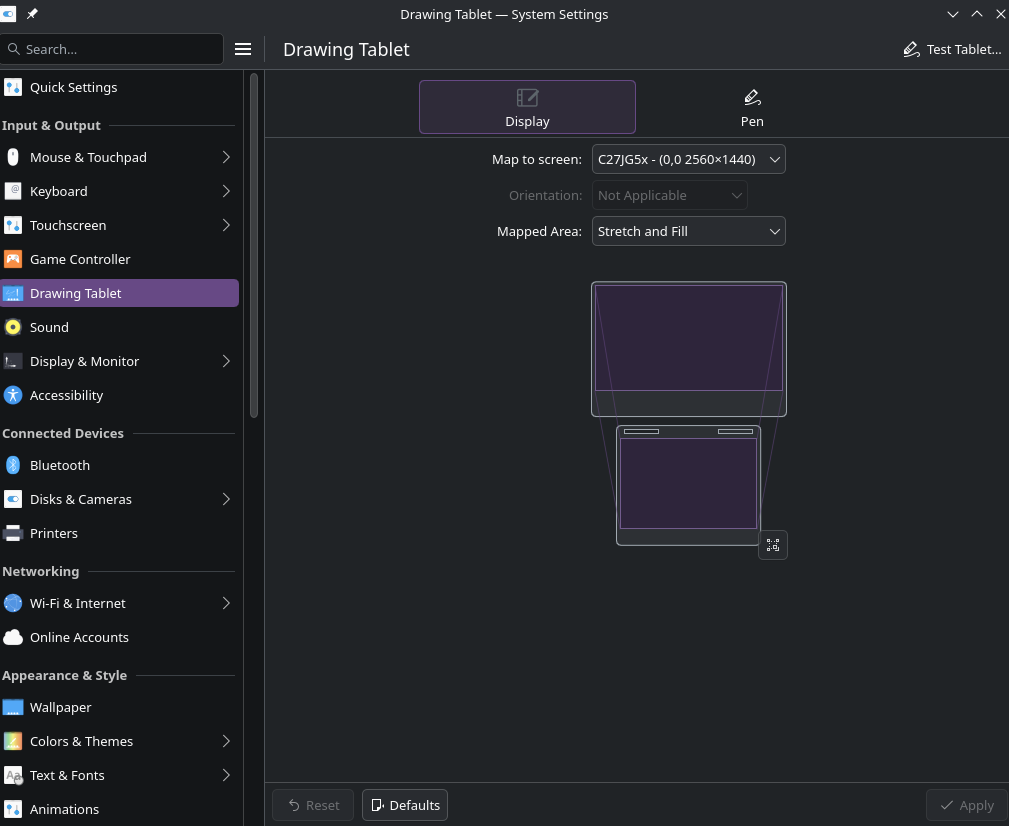
hello! kinda similar to other posts about unchangable tablet orientation. But! Instead of saying “primary (default)”, mine says “not applicable”. I use Kde 6.5.2 on EndeavourOS with Wayland.
it’s not really a problem for me since my pc since my tablet is already facing the right direction (pc is sitting to my left, so the tablet’s wire is going to the left and everything is good) and i don’t need a ability to change it, but the lack of ability to change it is a bit jarring.
I don’t really know if it’s a bug or a lack of feature, but i hope there’ll be some changes some time soon for it!
(i don’t really know how to write these kinds of texts, and if the problem i’m talking about already has a solution, don’t be rude.)
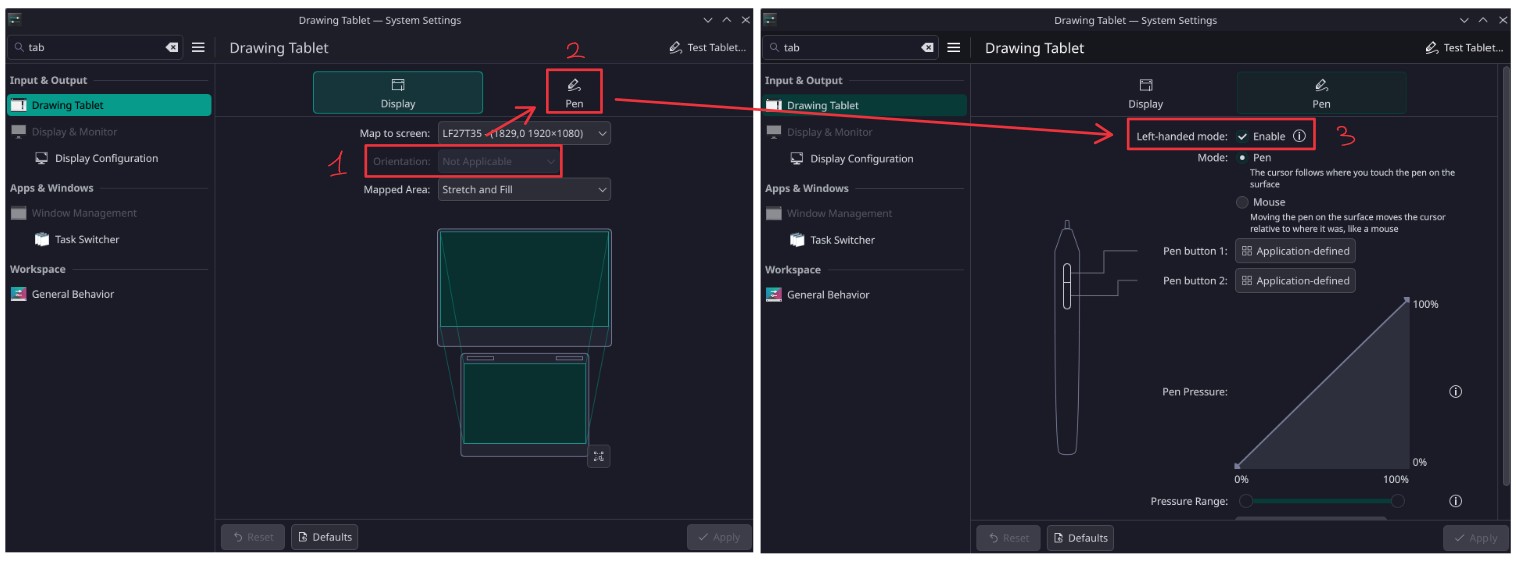
Hi there! After a recent update I also had to switch to Wayland and had the same problem. After (too much, really) time digging about it, it seems that Wayland does not directly support orientation change on all devices (not for now, at least). You should obtain the same result by setting the “left handed mode” in the “Pen” tab though. At least I solved this way for the moment.
Plasma exposes the options its given from libinput. If libinput list-devicessays it supports rotation its a bug in Plasma.
Likewise, if it reports it as n/a either your tablet does not support that function or the problem is deeper down in the stack (libinput, kernel, etc..)
This is the only reference about a Wacom device I have in there (the Pen?). The report says Rotation: n/a, but I’ m sure I was able to rotate it while on Xorg (I have another machine running XFCE and I can rotate it perfectly there).
The problem came out yesterday while updating and moving to Wayland (Manjaro stopped serving a X11 session with the latest update). So from what I understand switching from xf86-input-wacom to libinput.
Could this be a libinput problem?
Anyway, enabling left-handed mode mocks the rotation so it is a viable workaround for now I guess.
For 90-degree rotation - this isn’t really available in libinput because the vast majority of use-cases would then also require the display to be rotated so both are in the compositor territory.
Maybe @redstrate knows if there can be anything done on the KDE side of things.