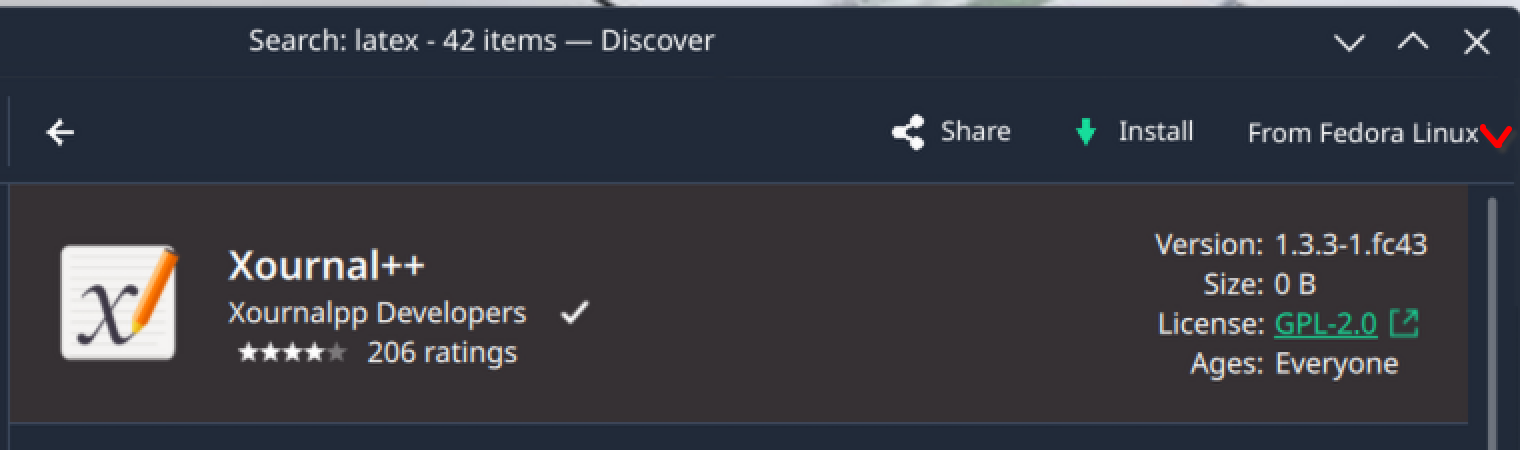
Can we add a better distinction for the source button next to the Install button? Perhaps even a simple downward arrow to indicate that it is in fact an additional menu.
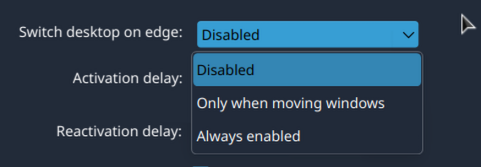
Additionally, once open, why not remove the radio buttons entirely and just keep the text selection, similar to the way the UI works in the settings for example.
Then you might just need to check and tweak the specific color scheme, perhaps, or try different ones. I have zero idea where to start on that, though. Color schemes can be complex. Or see if the theme or color scheme’s creator might know what to tweak.
if i choose either of the other two it does not offer the Sources menu.
perhaps we can fix that bit of the UI
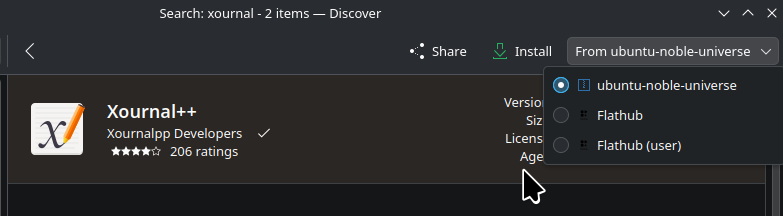
as for the radio buttons, i rather like them as they clearly indicate what is selected rather than relying on highlights which can also get lost with bad theming.
and one of the BEST features that only kubuntu seems to care about is that it shows you the version info right in the sources menu so you can see what you are getting.
it’s too bad fedora and neon users don’t get that… i wonder how many others suffer.
That’s because these are three different apps, plus only one is available in multiple formats.
That is a plasma 5 thing, not a Kubuntu thing. This shows the package version. This may not always line up cleanly with the software version, and if the deb package leads with an Epoch number, it is even more confusing.
well i guess the snap is a mobile version of the app, so that’s understandable i guess, but the native and flatpak desktop apps are the same app, just different versions with a different title in the card.
this happens a lot in discover when there are multiple sources of the same app.
the how close is close enough we you are comparing apples and some other flavor of apple… i mean techcially the flatpak is a separate built so it’s a “different app” but does that matter to human?
so are you saying that in plasma 6 we will no longer see that information?
that is one the best features of the “sources” drop down menu.
i guess this will be one of the first bug reports i file after i upgrade to 26.04.
This example happens to highlight what epoch versions in Debian packaging look like. Xournal’s version here is actually 0.4.8.
I don’t necessarily disagree with showing versioning info in the pulldown. It is my quick guess that it is a bit duplicative since the dropdown covers any version info already shown on the app page, and likely caused complaints.
Why wait? It is a KDE thing, not a Kubuntu one, and probably has been a thing for quite a long time.
when i install the xournal (no pluses) from the native repositories i get the Xournal++ and the version is 1.2.2 just as shown in the discover drop down.
so they are indeed the same application and the version numbers shown are indeed correct… also having them shown in the pulldown allows me to avoid have to click on each one individually to see which one is the more recent version.
i will wait until i’m actually using plasma 6 before i start writing bug reports against it, but i would encourage anyone else with standing to go ahead and file one.
plasma 6 discover would appear to be regression from where i stand.
It is definitely better and less buggy/crashy than the Plasma 5 version, in my usage. I do use Plasma 5 on my second PC, so I use both iterations regularly. The Plasma 5 version has crashed on me at least 3 times just looking at this. I haven’t seen a crash in the Plasma 6 version in ages.
“pp” = “++” so it is Xournal++, not the original xournal.
So, if you clicked and installed ‘xournal’ (the top one in your image), and not “xournal++” or the mobile one, and you got Xournal++, then that is a big bug. I did the same as you in Plasma 5, as I had the same listing order as you and got the OG xournal.
when i installed the deb version from discover i must have clicked on the flatpak and then selected the ubuntu source … that’s how i got to the “pp” version
if i install via apt from the command line i get the non “pp” version and when i go back into discover it is showing the top item as installed with the option to Remove.
i mistakenly thought the native version from the sources menu, was the top item in the search result.
so that’s all sorted.
i still like the version numbers in the sources menu tho.





 so you think they “fixed” discover , do ya?