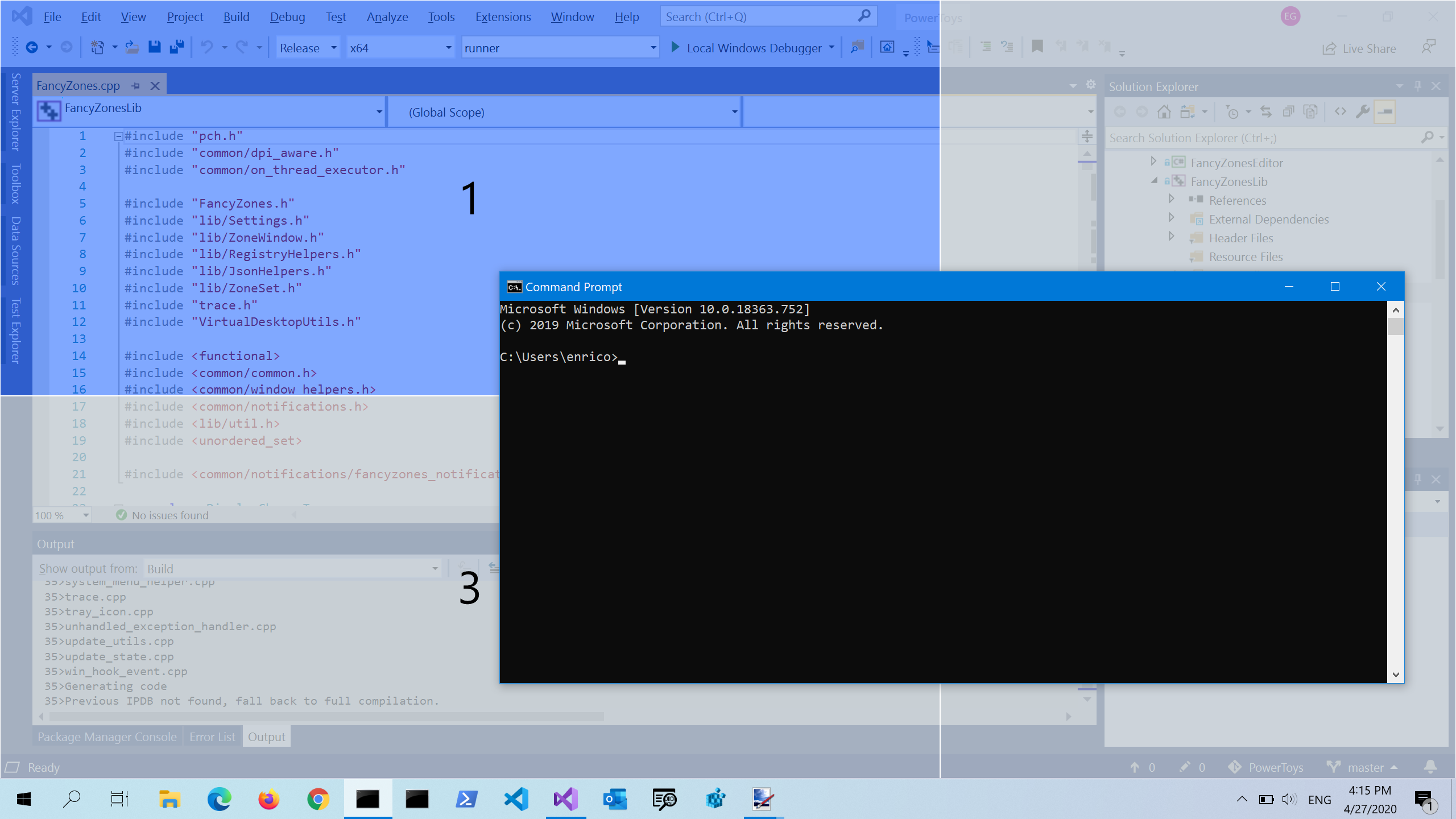
When dragging windows to tiles by holding Shift, a translucent preview pane is shown that indicates the tile the window will snap to.
Using the Breeze Dark theme, this preview pane is dark gray in color, which is not very visible, especially if a dark themed window already occupies that tile position and the preview pane is being drawn over that window.
It might be an improvement to use the Accent Color for the preview pane, instead of a gray. More visual contrast would help make it clear where the window is going. You can see an example of something like this with Windows FancyZones:
I believe Pop!_OS’s tiling extension for GNOME also behaves similarly (in terms of showing an accent color for a dragged window’s destination tile).
1 Like
Sounds like a good idea.
Unfortunatly the apperance of this highlight is defined by the current plasma theme so it would only affect the default (or kde crafted) plasma theme (Breeze and Ocean in the future)
I’m suggesting that the color could be pulled from the theme! Themes define an accent color, right? Users can also specify a custom accent color. So I’m suggesting that the tile preview pane color could be the accent color, whatever that is set to (i.e. from the theme or custom color).
You need to concider that this highlight is handled by plasma theme.
This mean that if Breeze plasma theme is in use we have impac on it but of another one is used it might be overided my this theme.
The good new is that it is technicaly possible with Breeze to do.
I’m not quite understanding what you mean; I don’t know a ton about KDE themes, but wouldn’t most/all themes define an accent color?
I guess the highlight color could always fallback to some default, too.
I’m interested in trying to contribute to KDE, do you happen to have any tips on how I might get started if I wanted to try implementing this change?
The tile preview style is defined from the plasma style.
This mean that if you want to change it you need to edit Breeze’s plasma style. I don’t know very well how things works here but there is a doc :
1 Like