Activating when hitting the top left screen corner of one of my Monitors drives me Nuts recently.
Because in my Multi-Monitor layout one of the edges that activates this is nearly the center of my canvas.
In the “Screen Edges” settings “Switch desktop on Edge” is set to “Disabled”
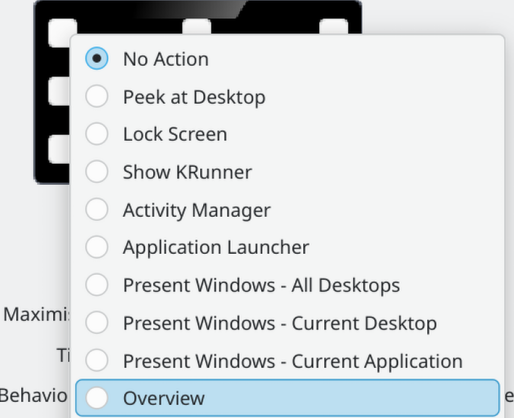
Thank you for this. I didn’t realize I could click on the picture. I wasn’t experiencing any bugs, but I don’t personally care for the hot corner feature.
I realized it “3 Hours later” (imagine spongebob voice-over) .
Have done some testing, even with “Corner barrier” unchecked and “Activation delay” set to huge 1000 ms the overview activates immediately when moving fast along over that corner.
Shouldn’t I have, in this case, 1 full second to cross past that corner without it activating?
Not only that after even after deactivating that corner and “Corner barrier” still unchecked i can clearly see the mouse pointer getting stuck at that corner for at least a few milliseconds when moving from right to left on that top border.
Just as a reminder: directly left of that left-top corner is my other higher monitor in a continuous workspace.


 .
.