A little update.
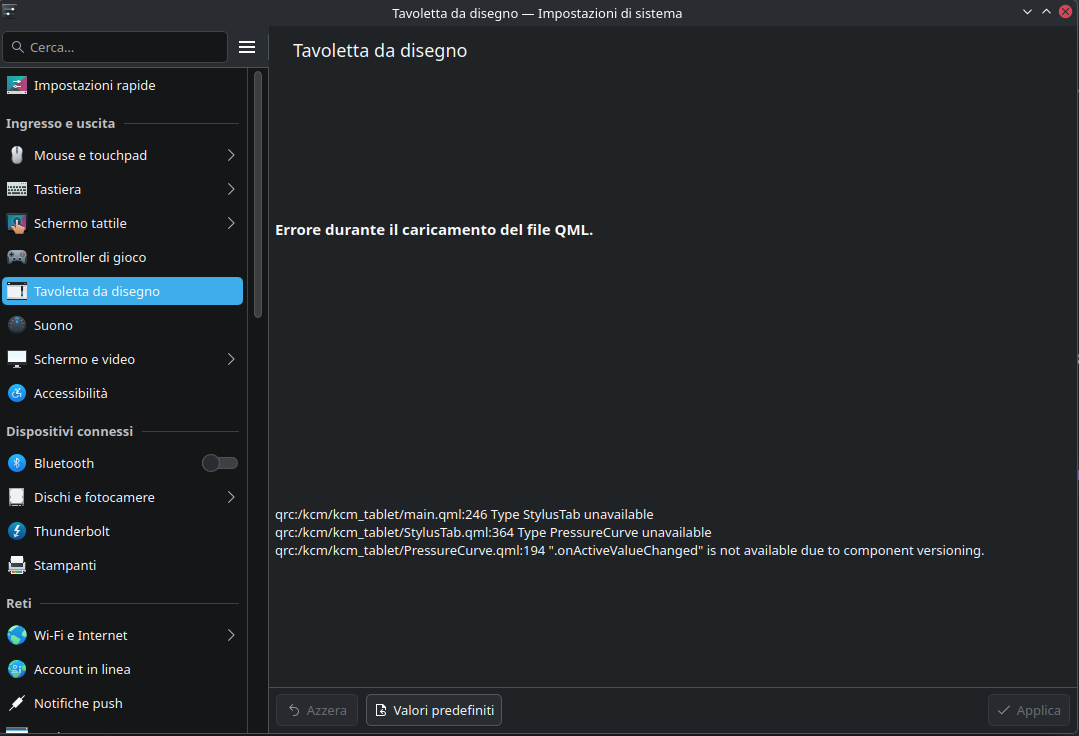
After some time passed and some updates I’ve checked again the graphic pen settings with Wayland and now I have a little change but it still doesn’t work like it should be.
Now, trying to map the portion of the tablet area, I have this
I’ve searched some info on the web about how to check the library version and it should be done with dpkg.
So I’ve tried and I got this message
In English it should be something like
dpg-query: the package “libinput” is not installed and it’s any information is available.
Use “dpkg --info” (= “dpkg-deb --info”) to examine the archives.
So, if I used the right command to check the library version, it seems that the libinput library is not installed. Am I right?
I’ve tried a Live version of Fedora 42 Plasma Desktop and it seems that I can change the tablet area in the settings.
So, now, I think that something is not set correctly in my system.
First of all, sorry to bother you but, trying to reply to your question, how can I check what version of libinput is installed?
I’ve installed the libinput-tools and I can see that Wacom is recognised as pen and tablet. In my opinion there is a config file corrupted or not correctly set but I don’t really know how to fix this.
Any tips?
Thank you for the suggestion..I hadn’t thought about this.
I’ve tried but it does the same. I can’t see the resize controller for the tablet area, for the screen yes..for tablet no…I can use just the full area.
So it should be something else.
Oh..don’t worry…if you can and when you can it will be more than great…if you can’t, don’t want or anything else..don’t worry… I’ve a working setting with X11 but as X11 will be less and less supported by KDE devs, I’d like to switch to Wayland, but I’d like to use my graphic pen as its best, at the moment I can’t.
libinput --version seems worked and the result is 1.26.2
I see… now things become more clear…
…but now I can’t find a way to update it.
I’ve tried with “apt-get install libinput” but it gives me an error message “Impossible to find the package libinput” and I’ve found just the building instruction on the libinput official website.
Searching on the web it seems that I should wait the “rebase” of KDE Neon to a newer Ubuntu version (25.04) . Am I right?
oh oh….
today I’ve updated through Discover and now I can resize the tablet area and match this area with the full resolution of both monitors using Wayland.
I’m really happy for this… from now on I’ll try to use Wayland and I hope to don’t meet others issues for basic usage.
I’ve seen another issue.
I can’t drag the Steam window. Is it because on Wayland every program need to be set following Wayland requirements or is it a bug?
Related to this, I’ve seen that the mouse pointer don’t change its shape when I’m over the boundary of the window (if it’s not maximazed) using the graphic pen. With mouse yes.
Graphic pen
Sure? I’ll try.
I know that probably it’s not super related with this but I have the same error when I run an updated live like fedora 42 or the last kubuntu release.
Anyway, I’ll try to reopen or reboot .