I finally managed to install KMyMoney 5.2 on windows and use the AqBanking plugin connection to download the bank current account’s transactions directly into KMyMoney. 
Windows Edition Windows 11 Home, Version 24H2
KMyMoney version 5.2.1
For those interested in the details, here are my steps:
- Identify the right file to download from this page https://kmymoney.org/snapshots.php, namely :
| Product | Category | Architecture | portable package |
|---|---|---|---|
| KMyMoney | Stable snapshot | 64 bit | portable package |
- The filename and file extension may sound strange for windows users:
mingw64-kmymoney5-portable-5.2.1+20251209+git.25bce936-lp156.796.1.noarch.rpm
no worries, it works on windows.
In the filename, you can read these elements:
| # | Element | Explanation |
|---|---|---|
| 1 | 64 | is the operating system architecture. “32” would be for older computers |
| 2 | portable | means it doesn’t need the classical windows installation (which install the files under C:\Program Files), but a “lighter” installation, which can be stored anywhere on your computer. |
| 3 | 5.2.1 | is the version number for KMyMoney |
| 4 | 20251209 | is i suppose the date when the software has been produced ( = compiled) |
| 5 | 25bce936 | is the commit ID in the software development versioning system Commits · 5.2 · Office / KMyMoney · GitLab (see branch 5.2) |
| 6 | .rpm | this file extension is the short for Red Hat Package Manager : a package management format. For us it is a kind of zipped file and has to be extracted. |
- How to extract the file from the downloaded zipped file? Unfortunately the default windows software cannot extract it. But the good news is, a free software can do it: 7-zip.
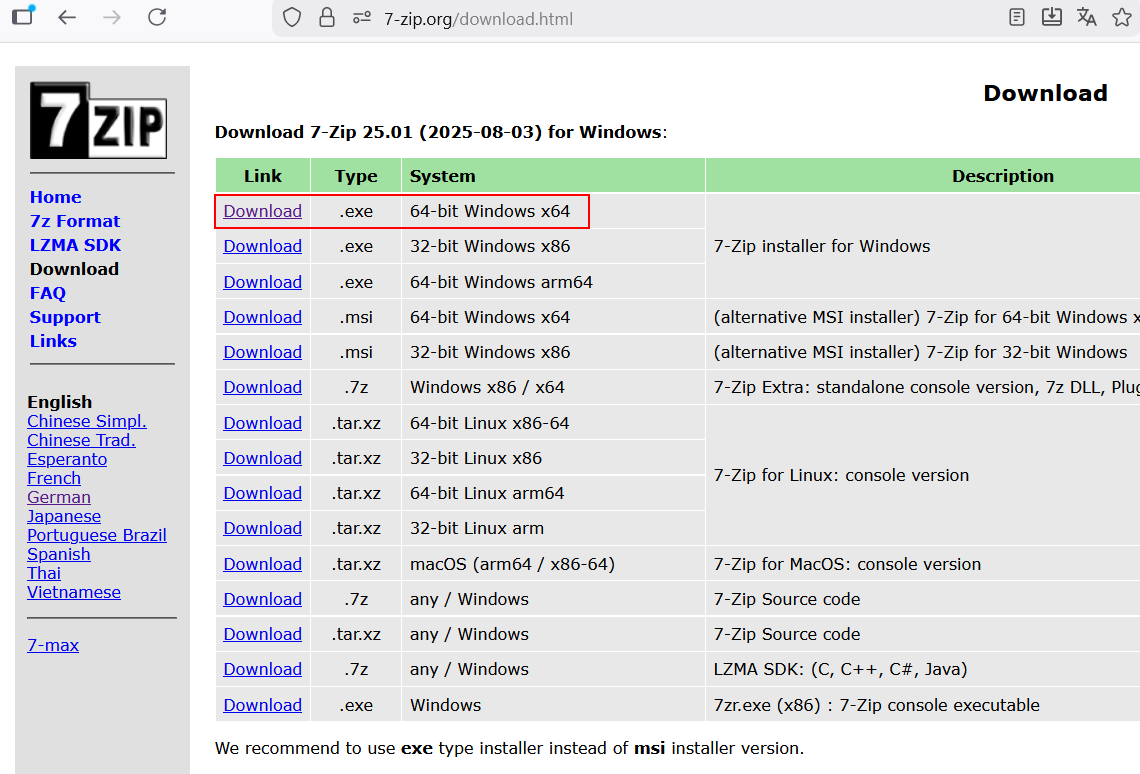
- Download 7-zip from this website: Download and choose the file corresponding to your architecture (64bit in my case)
- This is an
.exefile, so a double-click on it installs the software as any other windows software. - Unfortunately, a righ-click on the
.rpmfile you downloaded in step 1 and “open with 7-zip” doesn’t open any graphical user interface (GUI): as one may hope .
. - Good news: the GUI can be started from
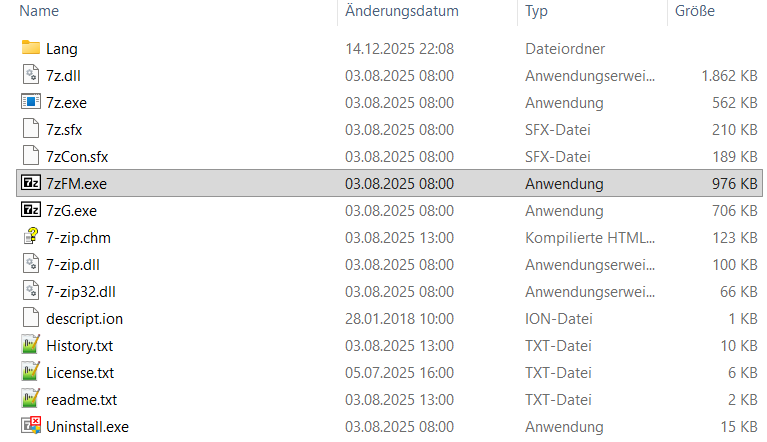
C:\Program Files\7-Zipby double-clicking on 7zFM.exe (7-Zip File Manager) as documented in thereadme.txtfile of 7-zip - Then, select the
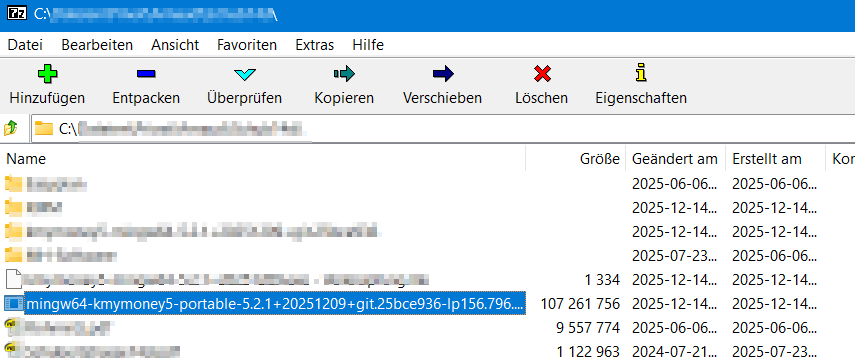
.rpmfile and extract it into the folder of your choice - Go into the folder where you extracted the
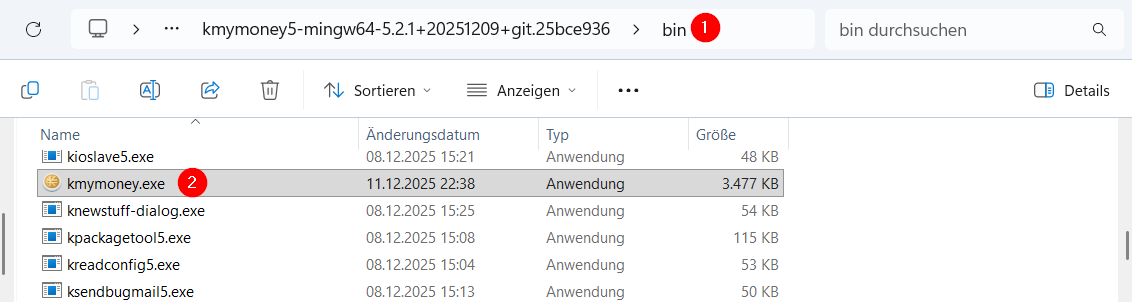
.rpmfile and go into the subfolder\bin. - There you can double-click on
kmymoney.exeand start the software. - My advice: create a shortcut to this
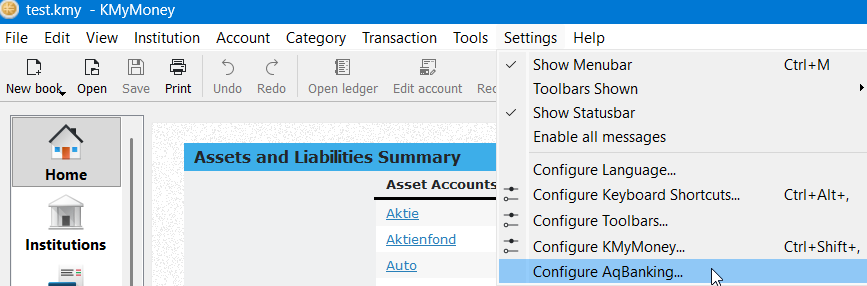
kmymoney.exefile and save it in the taskbar / the desktop to get a handy access later. - After the successful installation, you cant test if the AqBanking plugin works for your bank:
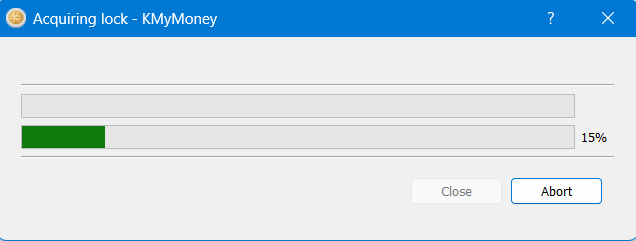
- After having clicked on Configure AqBanking, this window appears: . It takes one or two minutes.
- After this you can start configuring the AqBanking parameters for your bank.

If you arrive until here, congratulations and enjoy!