The disk is a 1Tb disk inside my PC (a nuc i7). I also have a 500Gb ssd in there, and two more usb disk drives plugged into it, but I don’t get any authorisation request for any of those. The OS’s home folder is installed on this drive but the OS itself (CachyOS) is on the ssd. Not really a problem, just curious as to why it would do it.
The only oddness that I can think of is that I saved a file to this disk from another distro (I have a few installed…) earlier, so I tried rebooting into this one again (after authenticating the the mount before of course) but it still popped up.
What does the Details button show? What is the partition layout on /dev/sda?
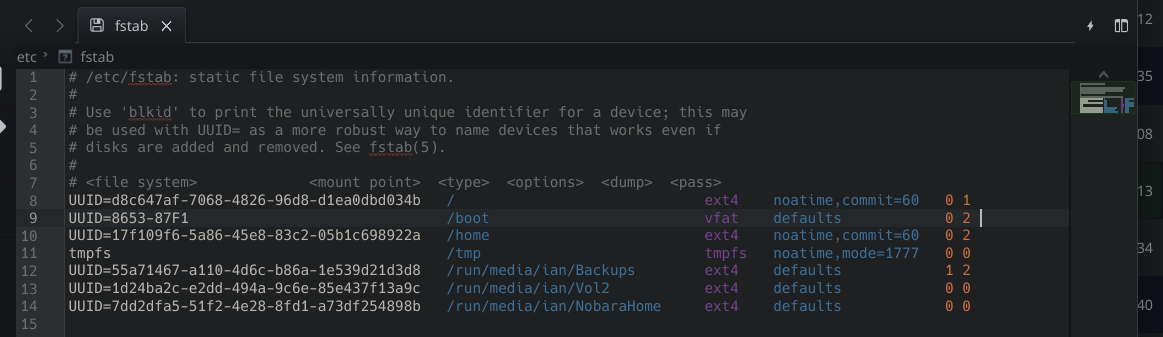
Assuming your /home partition is being mounted properly via your fstab, my first thought is this is a another partition on that 1Tb drive, and your device automount is trying to mount this, but you don’t have permissions. For example, if this partition is from a different OS install and is using a standard Linux file system, then your user in your running OS likely does not have access to this without sudo privileges. General Linux permissions are the culprit, with Plasma’s automount options added in.
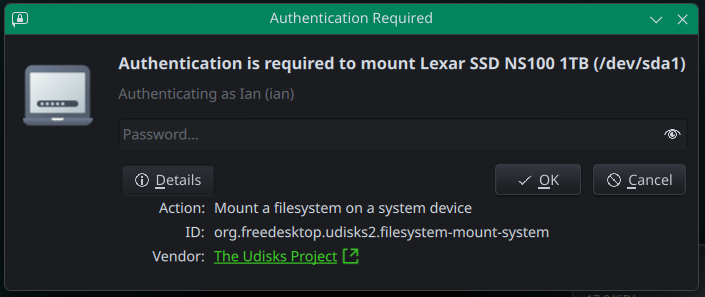
Indeed you are correct. There are two partitions on that drive, /home for CachyOS, and /home for Mint, which is /dev/sda1. And you are correct to assume that the Mint home partition is not mounted in Cachy’s fstab. (I guess I’m going to have to put it in there if I want the warning to go away.) However it’s been that way at least six months when I first installed Cachy, but the warning is relatively recent, within the last week. Here’s the details.
Seems a bit weird though. When I enter the password my Mint home partition is mounted, even though I don’t particularly want it to be, in fact I’d prefer it wasn’t.
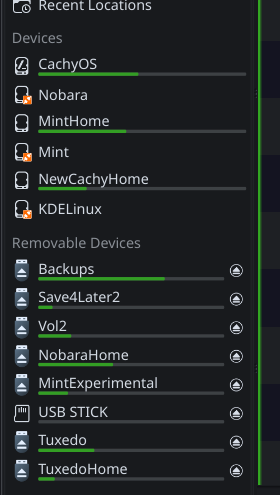
In looking around a bit more I noticed some other weirdnesses. This is what’s mounted before I enter my password in the dialog. In Dolphin, MintHome is not mounted. But all the partitions on my two usb drives are. This usually doesn’t happen. Usually, if I want to access some files on one of them that isn’t mounted I can just click on it and it’s mounted and the contents displayed, but now they are all mounted at boot.
Look at your automount options in System Settings. Sounds like some things are trying to be mounted at login.
If the usernames or UID numbers for the user accounts associated with each of these is different, then sudo privileges would be needed anyway, on top of any specific permissions the partition or directory has been given. Normal Linux filesystem and multi-boot stuff, not specific to KDE, other than the automount options in System Settings >> Disks and Cameras >> Device Automount.
Automount. Never heard of it before, didn’t know it existed. But yes, there it is, large as life. And with everything selected. Turned everything off that I didn’t want automounted, and it all works as I want it.
It definitely is not anything new. KDE 4 days, at least.
But I think the default settings are to NOT have any settings, iirc. But maybe some distros change this?


 Ian
Ian