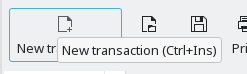
There are multiple other ways to start the new transaction
- Click the empty transaction at the end of the ledger
- Press Ctrl+Ins on the keyboard
There is feature called TabOrderEditor to rearrange the way the focus takes when pressing TAB. To open it, press Alt-Ctrl-T (from 5.2.1 on this will be Alt+Meta-T by default because on KF6 Alt-Ctrl-T opens a terminal).
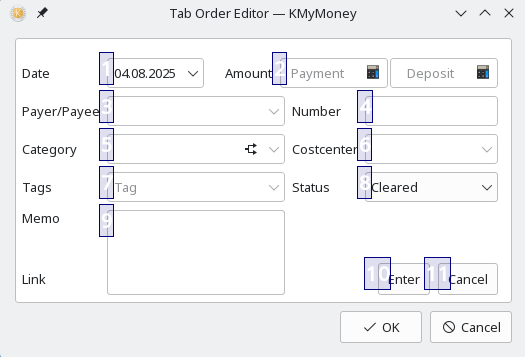
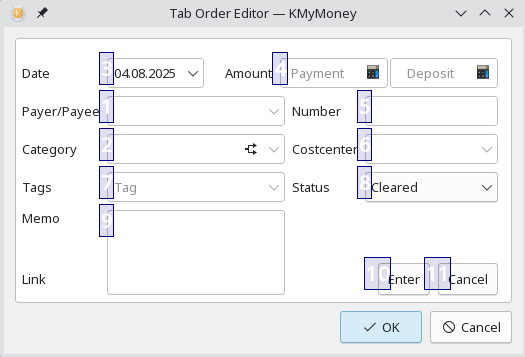
Clicking the blue boxes in the order you desire changes the order to your liking. Here’s how this looks like after changing the first two fields to be payee and category:
You are right about the default value. Getting today’s date into the date widget is as simple as pressing T on the keyboard when the focus is on the date widget.
Please take a look at the handbook section about Basic Accounting. The actual usage of the field labeled category is technically the so called counter-account. A counter-account can either be a category (in case it is an income or expense transaction) or another asset or liability account (in case of a transfer between two of your accounts). That’s all, no magic.
The payee field is purely optional for any transaction and that did not change compared to previous versions of the application.
That function has not been removed. Once you click on the column C for that transaction, the reconciliation status changes as in prior versions. If that does not work for you, it may have something to do with your environment or settings.
You are right: the button for New Transaction as well as the keyboard shortcut Ctrl-Ins don’t work during reconciliation (while they should do). Clicking on the empty transaction at the bottom of the ledger is available and working, though.