I love spectacle.
If there would be an option to load images from disk it would satisfy 99 % of my use cases where i just quickly want to annotate/edit existing images.
I realize this is not what a screen capture software is meant for, but it is just so simple and useful…
2 Likes
Interesting thought…
I don’t annotate images often, but have you tried Gwenview?
The highlighted button here offers similar functionality:
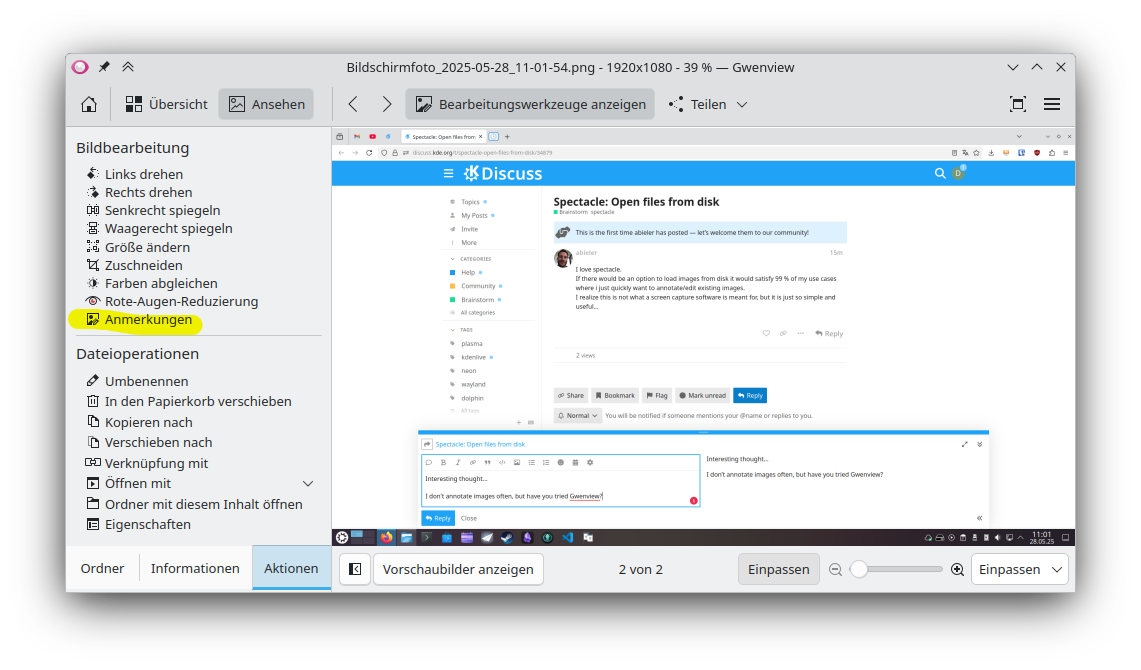
2 Likes
It’s not in the GUI, but there’s the -E CLI option.
5 Likes
spectacle has better defaults than gwenview and takes fewer steps to accomplish the job.
also it’s just nice to have the option of going back to a screen grab to add something you forgot without having to go thru a completely separate app.
so the question i have is which is better for a new Spectacl(E)™ option?
- service menu
~/.local/share/kio/servicemenus/ - separate .desktop file
~/.local/share/applications/
i like option 2. because then i can have it show up under the Open with ... menu.
4 easy steps:
right click on the Applications Menu and choose “Edit Applications…”
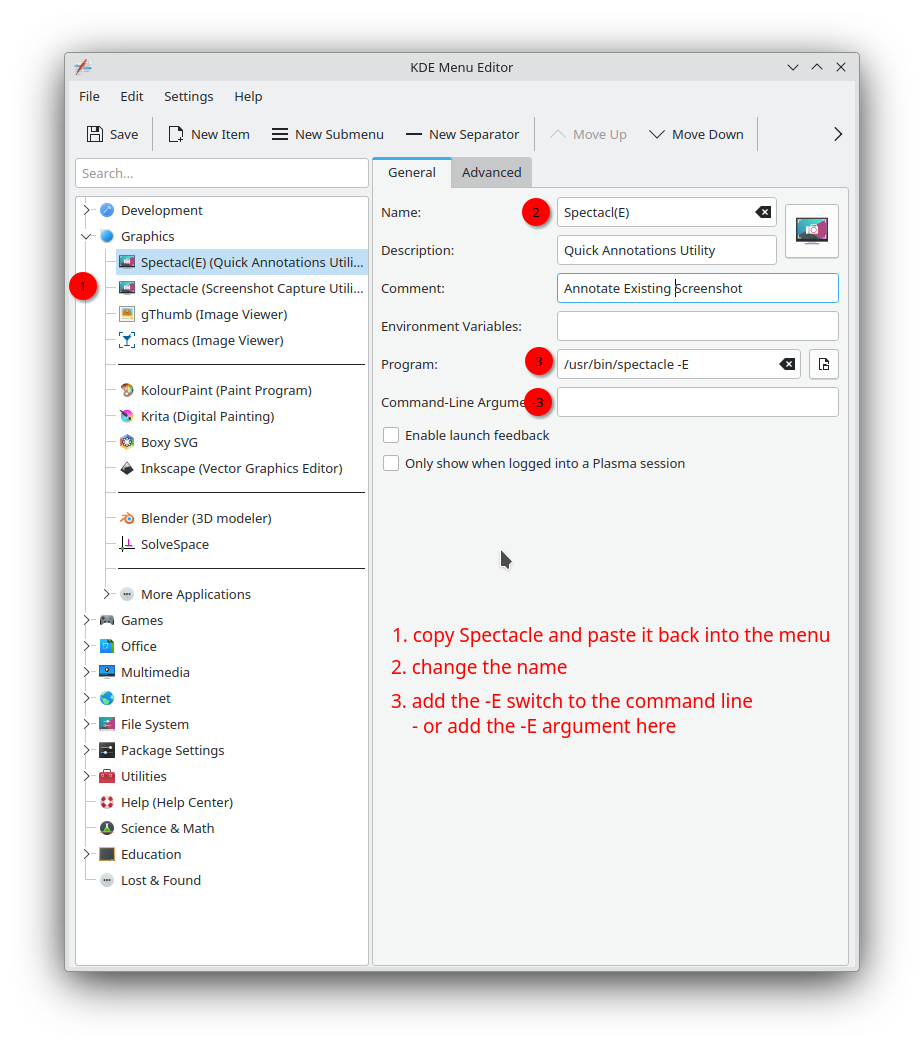
then go settings > applications > file associations
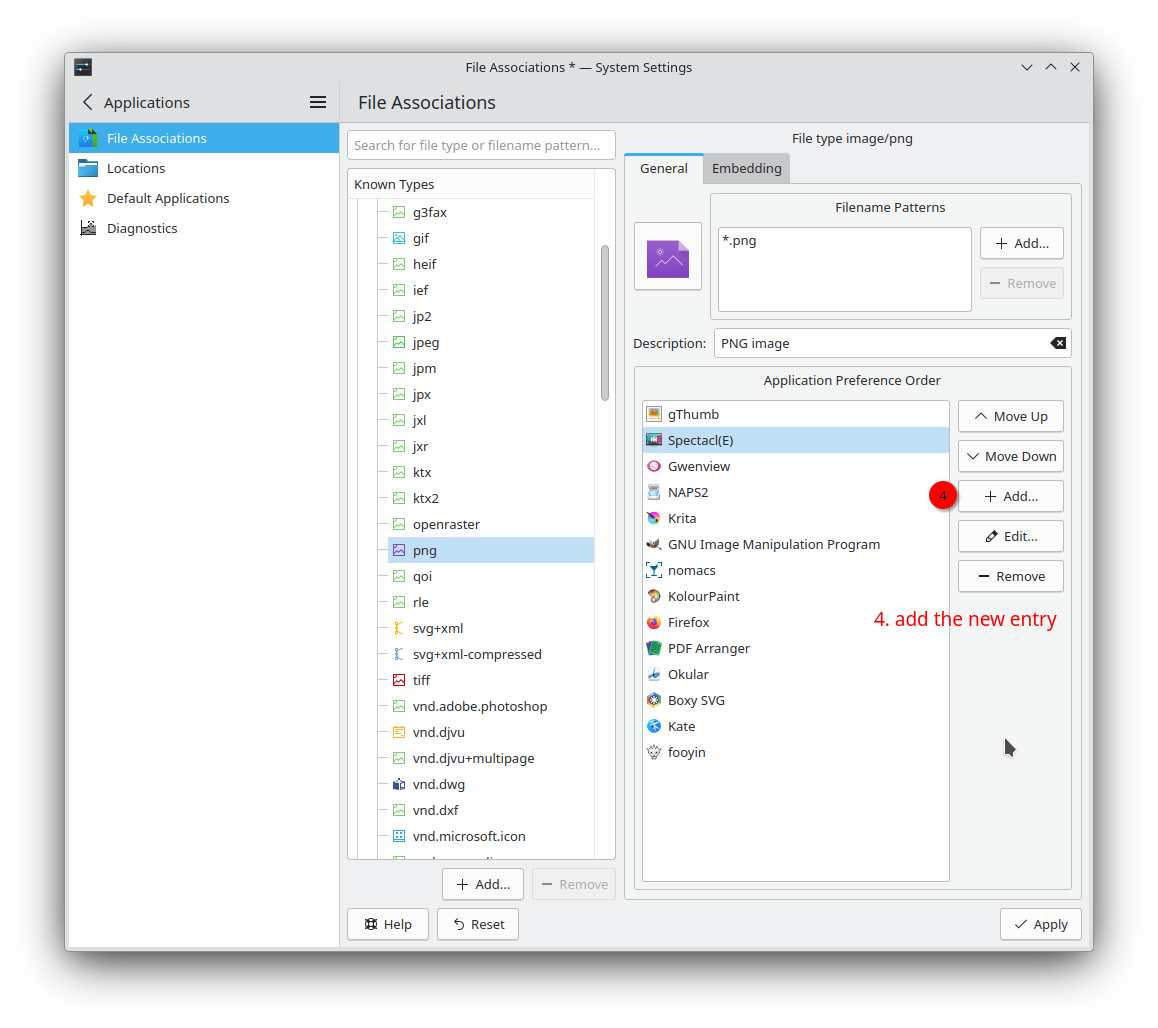
all annotations were done from right clicking on the existing Meta+PrinScr captures of the open settings windows and choosing Spectacl(E) as the program.
edit: just made a slight correction (addition) to the first image… using Spectacl(E)
4 Likes
Yeah, this is the way I’ve also chosen, creating a new .desktop file in ~/.local/share/applications with Exec=spectacle -E %U.
It’s interesting also that one finds different capabilities in Spectacle and GwenView annotation utility.
1 Like
they are apparently different code bases.
2 Likes
Oh, I see. It seems Gwenview relies on libkimageannotator, which is apparently no longer maintained. The codebase used by Spectacle is apparently a newer one with more modern looks, but a little behind libkimageannotator in terms of functionality.
It seems we’re going to see it soon in Gwenview.
1 Like