I’ve been a loyal KMyMoney user for over 7 years and have truly loved it. However, I must confess that the recent upgrade to version 5.2, despite its good intentions, has made the experience significantly worse for me.
The release feels riddled with bugs, and even the basics don’t seem to work properly. For example:
The transaction form in the ledger is now permanently enabled. Even if you disable it via Configure → Ledger → Display → uncheck “Show transaction form”, it never actually goes away.
The accent color issue is frustrating. The transaction form inherits the system accent color, and there’s no way to change it. On Windows 11, accent colors are never white, which means the transaction form often becomes nearly illegible.
It’s incredibly frustrating. I’ve had to downgrade back to version 5.1 just to get work done. For now, there’s no way I can continue with 5.2—I simply have more important things to do than wrestle with broken basics from KDE’s engineering decisions.
I’ll keep an eye on future updates and maybe try upgrading again in a few months, but as things stand, 5.2 is a step backward.
I understand the two examples of issues you pointed out are linked to the windows version of the software.
I agree that it is frustrating since you cannot really switch to another type of KMyMoney software working on a windows operating system (as the users having a linux-based operating system can do between the KMyMoney version maintened by their distribution and using e.g. an AppImage KMyMoney version).
I think you have the right approach. Wait and see.
If you have some more time, you can create a bug in https://bugs.kde.org/enter_bug.cgi?format=guided&product=kmymoney or if the bug already entered, subscribe to it. This way, you receive the updates of the bug by e-mail notification, without additional action from you. So you can wait and be notified when a decisive bug is corrected.
I’m new to KMM and I’m on Windows 11. I agree that the accent color is an issue. I’m able to use the app though. However, I don’t see the transaction form in the ledger issue you mention. I unchecked the box and the form is not shown anymore.
My needs are minimal, so I haven’t run into any other issues than the accent color problem. I plan to keep using KMM and shut down my ancient version of Quicken next month.
Back in version 5.1, if you turned off the transaction form, entering stuff straight from the ledger was lightning fast. You only had a handful of fields to worry about: date, payer/receiver, amount, category/account, tag, and note. That was it. No extra deposit, transfer, or entry pop-ups getting in the way. The whole flow was streamlined and efficient, which made adding transactions feel effortless. That’s why I keep saying it was better—because it actually was. Since you’re new to KMyMoney, you never lived through that setup, so you don’t realize what was lost. And honestly, you can’t really miss something you never had.
Like you, I once relied on Quicken for nearly a decade before switching to KMyMoney about 7 years ago. From that point, it felt like I had finally found the perfect tool—reliable, straightforward, and everything Quicken no longer was. KMyMoney quickly became second nature, and I trusted it completely.
But the recent 5.2 “upgrade” changed everything. Instead of progress, it felt like a step backward, bringing my long-running love affair with KMyMoney to a screeching halt. Basic features broke, and what had once been smooth and dependable suddenly became frustrating.
Still, I haven’t given up. For now, I’ve downgraded to the stable and working v5.1, and I’ll wait patiently for the bugs to be sorted before I even think of upgrading again.
Hi Fred, Just my two cents worth. In my case (Fedora 42, KMyMoney-5.2-4813 or Version 5.2.1-24736f7) the transaction form does disappear when checked to do so and shutting down the program and restarting shows the form still not displayed. Your problem may be with the Windows version? HTH. A
It can’t possibly be a Windows 11 issue. I run many other programs on this system, some of them far more demanding than KMyMoney, and none of them experience similar problems. Moreover, if Windows 11 itself were to blame, version 5.1 would not have worked flawlessly under the same conditions. That alone shows that the issue is tied specifically to the new release. The updated version clearly introduced bugs that are affecting stability or compatibility. We should be careful not to shift the blame to the operating system, because doing so would give the KDE team the mistaken impression that Windows 11 itself needs to be overhauled just to run KMyMoney, which is obviously not the case. The problem lies in the software update, not the platform.
And where did you download KMyMoney-5.2-4813 or Version 5.2.1-24736f7 from? - the latest Kmymoney version for windows development version is V 5.2.70-6c46078
Sorry for the delay. I got it from the download area of kmymoney.org (viz. Download and use the AppImage version | KMyMoney )
I hope you don’t find it impolite for me to recommend this to you, but unless you have extremely windows-specific software to run, you might find it worthwhile to try Linux. I switched a few years ago and have been much happier. The single program that I run in a Windows virtual machine is Turbo Tax. ymmv. A
I don’t believe it’s practical to switch platforms just because one program has a few context issues or bugs. That would be like replacing an entire car simply because the wipers stopped working — it doesn’t address the broader picture. Windows continues to serve me well, especially for the business applications I rely on, many of which are unlikely to be fully supported in Linux. Besides, if a future release of KMyMoney were to encounter issues on the Linux build, would that mean switching back to Windows until it’s resolved? That kind of cycle wouldn’t be sustainable. I’m confident the KDE team will address this in due time, and in the meantime, I’m comfortable using version 5.1. Hopefully the developers will resolve the issue soon so everyone can benefit from a stable update.
I hope you don’t accuse me of saying something so silly as to switch platforms “just because one program…”. I would never suggest that, Fred. I was just trying to share my love of Linux –overall – with a fellow user. No more, no less. A
I also just upgraded from 5.1.3 and found many nuisances. However, I’m not sure I fully understand the issue with the transaction form. For me, when I disable “show transaction form” in the settings, it really disappears in the ledger view. What may be different, though, is that in 5.2, the transaction form that is shown at the bottom of the screen is never actually editable, it just shows transaction details. When you edit a transaction, a new form appears in the middle of the ledger.
Is it this what bothers you? That when you edit a transaction that a full transaction form is opened in the ledger, instead of a (maybe) simplified one as previously? Although I just compared in 5.1.3, and the fields are actually the same of the inline form and the bottom form.
In another post, somebody mentioned a key combination that lets you define the order of fields in the inline transaction form for TAB-Navigation. I would assume that should solve your problem, because you could just put the fields you regularly enter first in this order…
I’m using 5.2.1 on Fedora 43. On a desktop computer I run it in Gnome and on a laptop in KDE. Though the issues I’m dealing with are somewhat different from Fred_OP’s, there’s no doubt that the most recent upgrade was a step backwards. Yes, I can turn off the transaction form, but as soon as I click in a field in the register to start a new transaction, a transaction form pops up and there’s apparently no way around that. Second, in the payee field, as I start to type in the payee, a drop down list appears as I type. In the older version of KmyM. I could tab to the next field and it would complete the payee with the first name on the list. Now if I tab to the next field, it leaves whatever I typed before I tabbed.
About the only good thing I can say about 5.2.1 is that they finally fixed the bug where pressing Ctrl-Ins actually starts a new transaction.
Then there’s the new feature of the column with the entry date and another one for the actual transaction date. I suppose that must be helpful for someone or they wouldn’t have added it. For me it just confuses things.
Conclusion: I’ll finish using it to the end of this year so I can generate end of year reports, but I’m transitioning to GNUCash. It’s too bad. KmyMoney is better for reports which is 90% of the reason why I even use finance apps.
A bug that has already been fixed in the meantime.
A new transaction can only be entered by clicking on the last (empty) transaction. And yes, the form based transaction editor is the only method that is supported. I mentioned it before, but providing multiple different entry methods was not maintainable anymore by a small team.
Valid point. If it confuses you, simply turn it off with a right click on the header and de-selecting the entry date column.
Thanks for the information on eliminating the entry date. The bug fix on the payee field apparently hasn’t hit Fedora’s repositories yet. As for the transaction report, as silly as it may seem, that’s a big issue for me. I don’t mean to sound ungrateful, though. I appreciate the efforts by the development team and there’s no doubt that KmyMoney is a very useful program in spite of what are annoyances for me.
It seems like most updates I’ve seen to some of the programs I use the most in the last couple of years have made the program less useful. That includes LibreOffice and especially Zoom. Some of it is just that we get used to working a certain way and the upgrades effectively insert annoyances into the work flow because we’re forced to work in ways that seem less efficient to us.
Kudos to the development team on kmymoney 5.2. I’ve noticed the transaction form background (which previously matched the context menu color and was hard to read) has been updated to a clear white, which greatly improves readability. That said, I’m still encountering crashes. I haven’t moved to 5.2 yet—I plan to test a bit longer before upgrading. I’m currently using 5.1.
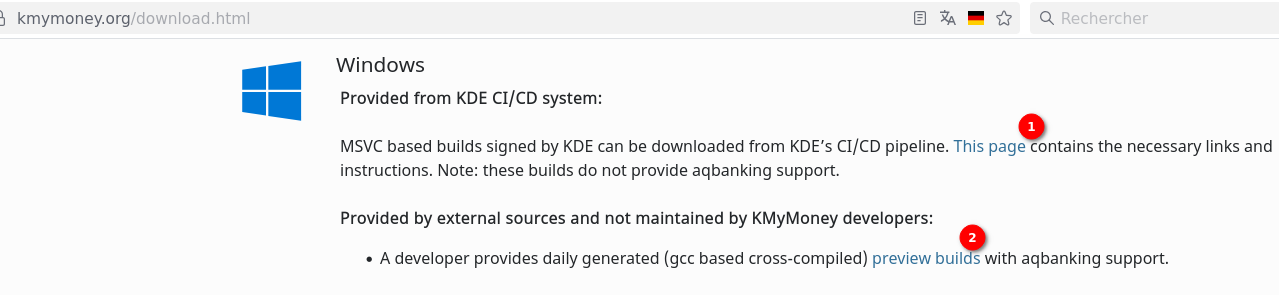
Have you tried the other versions available under link #2 ?
I have installed under link#2 the kmymoney portable version on a windows 11 computer and I have no graphical issues at all. Everything works smooth.
Though, the installation steps are a bit more than a “classic” windows installation. If it helps, i wrote my step-by-step installation here:
Interesting workaround—and I’m glad it works for you—but I’ll give it a bit more time and wait for the MSVC-based, KDE-signed builds from KDE’s CI/CD pipeline to mature. Since the second download link you shared is clearly labeled as “provided by external sources and not maintained by KMyMoney developers,” and I can’t clearly tell who the developers are, I’d rather be cautious with personal financial data. I’ll stick with v5.1 for now—it’s running great on my end.
I understand, security and trust are the priorities regarding financial data.
However, ipwizard has wrote today a separate explanation on how the software development, releasing and packaging works (see here Why doesn’t KMyMoney provide (old) binary versions – bembel.net).
Especially the last paragraph is relevant for your security concern because it is about the portable version:
Not shown in the above diagram is the work performed by one developer. He maintains a specific build for MS-Windows versions based on MinGW. Using cross-compiled versions allow to create KMyMoney for Windows including support for AqBanking (online banking features) which is not possible using the MSVC compiler suite. Since he basically uses the above mentioned steps 4, 5 and 6, the resulting binaries unfortunately do not contain the 8 digit hash in the Help/About KMyMoney dialog.
so it seems it is the same developers working here as the KMyMoney developers.
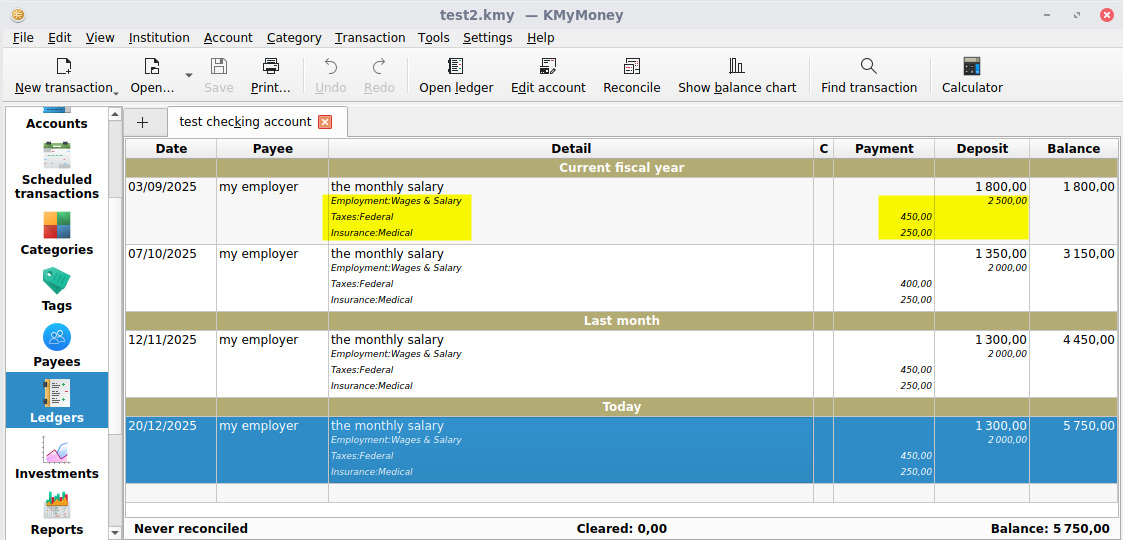
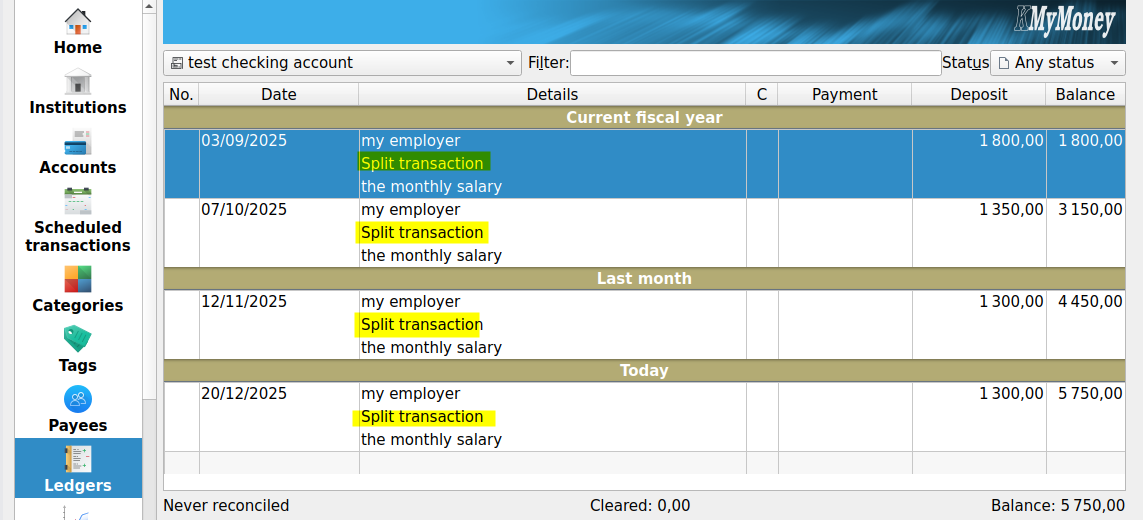
Regarding my personal experience, the main gain in my use case is the display of split transactions within the ledger.
I use split transactions for the salary (to build the gross salary and track all expenses happening between gross and net salary).
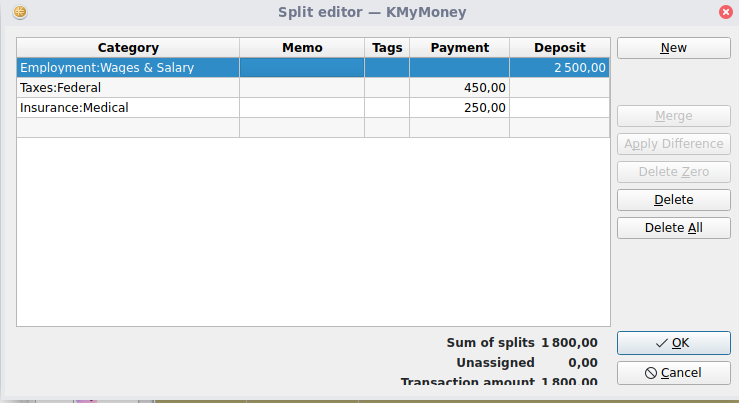
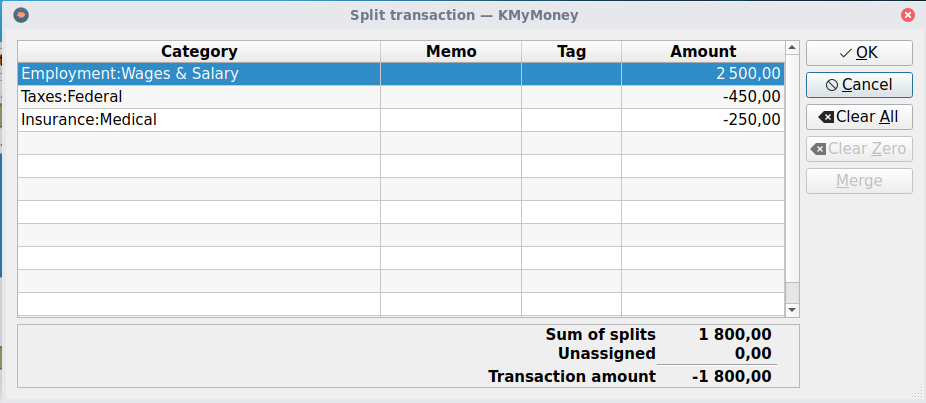
The split amounts and details are not shown in version 5.1.3, you must click on each transaction to see the detail:
i can see for all split transactions the full details.
The data-entry is also much quicker and clearer for me, thanks to the clean separation between Payment-side (left) and deposit-side (right) in version 5.2.1:
 ):
):