Hi KMyMoney Team,
I’ve been using KMyMoney 5.2.1 with the update to OpenSUSE Leap 16.0 in production since January 1st.
Until then, I only looked at this version sporadically on test systems, but hadn’t actually worked with it “properly.”
That has now changed.
First, the positives:
Apart from a few crashes (user error due to getting used to the new interface from 5.1.3?), it works (almost) exactly as I want.
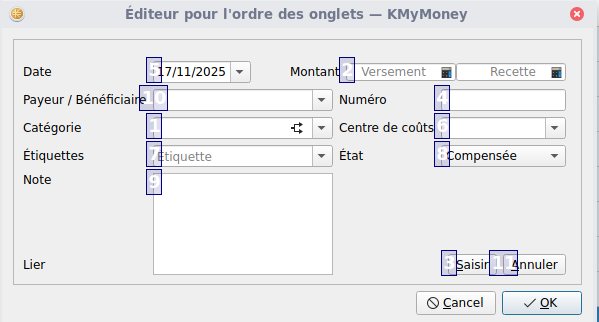
The only real problem for me, as already mentioned, is the editor for split entries.
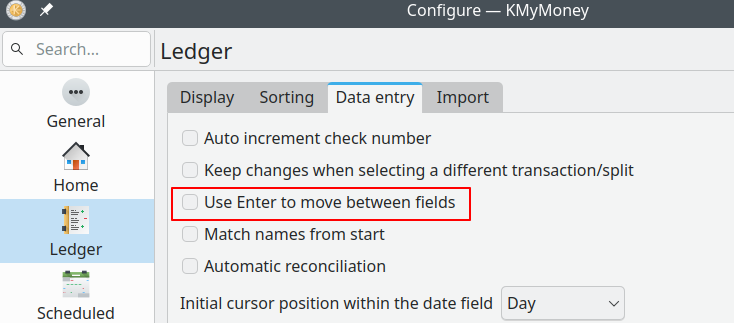
Up until version 5.1.3, I could enter data “blindly” using the Tab and Enter keys.
Zack, Zack, Zack… and the transaction was completed in seconds.
Well… with the new “system,” it feels like it takes me 5 minutes to make a single booking, and unfortunately, I’m still making a lot of mistakes (which might explain the crashes?).
I really have to correct almost every booking again.
But at my age, switching from a routine I’ve been used to for over 10 years is difficult.
Unfortunately, not much has changed with the reports either (except that I keep wanting to delete them – the button in the top right used to be “close,” now it’s “delete” – that takes some getting used to).
But features like a drill-down to view the relevant bookings are still missing.
Anyway… I’m working on getting to grips with it, and I’ve already gotten used to many functions, especially the tabbed account view, which was very quick to learn.
Other things, like the keywords (which never really worked properly in version 5.1.3), I’ll test gradually.
I also want to highlight the (now working again) “Ausgang” function. Getting this to work with the new banking requirements will certainly be no small feat.
Everything else will become clear during implementation.
Regards,
Udo
PS: Has anything changed regarding the SQLite database and the deletion of inactive recipients? https://bugs.kde.org/show_bug.cgi?id=511087